Browse more articles
Buying Used Movie Theater Seats: What to Check Before You Buy
A listing turns up: a dozen matched rows, pulled from a multiplex that just closed, priced below new. Used movie theater seats and vintage theater seats can both cost less than new ones, but they're often sold without a manufacturer warranty and may need work. Before you buy, check the frame for cracks, test the rocker or fold-up mechanism, inspect the upholstery, confirm the mounting hardware fits your floor, and count how many seats actually match, not just how many are listed. You don't need to be an expert: the sections below show how to tell a recent commercial pull from a true vintage find, what to check in person or on video before you pay, and when new seating is the better deal. Whether you're outfitting a church sanctuary, a community theater, a home cinema, or a small commercial screening room, used theater seating turns up in listings at many price points, from a handful of worn seats pulled out of a closed multiplex to a vintage row from a mid-century movie palace. The appeal is obvious: new commercial movie theater seating is sold and priced by the row, and a used lot can look like a shortcut to the same look for less. Whether it is depends on what you check before money changes hands. Used Movie Theater Seats vs. Vintage Theater Seats: Where They Come From Most used theater seating on the market falls into one of two categories, and knowing which one you're looking at changes what to expect on delivery day. The first is recent commercial pulls: seats removed during a theater renovation, a chain's switch to recliner-style auditoriums, or an outright closure. These are often rocker-back auditorium seats, typically mounted on continuous rails in matched rows, and relatively close in age and condition to how they looked on installation day. The second category is vintage seating, often decades old, salvaged from single-screen movie palaces or independent theaters that have since closed or been demolished. Vintage pieces are usually sold in smaller quantities, sometimes as single chairs rather than full rows, and their value leans more on look and history than on ready-to-sit comfort. Ask the seller one question first: did these come from a theater that closed in the last few years, or a venue that closed decades ago? The answer tells you whether you're buying a near-ready row or a restoration project, since a recent pull may need little more than cleaning while a vintage piece is closer to a restoration. Both categories move through the same channels: online marketplaces and classifieds, theater liquidation and salvage dealers, auction listings, and estate sales. Availability is unpredictable. A seller might have a dozen matching seats one month and none the next, which is why buyers who need a specific row length, color or seat count often end up watching several channels at once. Ask when and why the seats came out of service before you ask about price. What to Check Before You Buy Treat a used theater seat listing the way you'd treat a used car: the photos tell you the color, not the condition. Ask for close-up photos or a video of the mechanism in motion, and if the seats are local, see them in person before you pay. What to check Why it matters Red flags Frame Carries the seat's weight and anchors the mechanism; a cracked or rusted frame is often not worth repairing Visible cracks, rust at weld points, wood that flexes or feels soft Rocker / fold-up mechanism This is what moves each time someone sits down or stands up Grinding, binding, a seat that doesn't spring back upright on its own Upholstery The most visible wear point, and a costly one to redo across a full row Torn seams, flattened or cracked foam, mismatched colors between seats in the "same" lot Mounting hardware & rail spacing Commercial seats bolt to specific rail systems; a mismatch can mean new hardware or a different install method Missing brackets, unusual hole spacing, no rail included Quantity & matching A row needs seats that match in color, arm style and mechanism type Listing photos that mix models, or a seller who can't confirm the exact count Paperwork & history A public venue's seating questions go to your local code official, and a seller who knows the seats' history makes that conversation easier The seller can't say where the seats came from or what they were installed in If you're sourcing seating for an institutional space rather than a home theater, our church seating guide and our auditorium seating guide cover the capacity, aisle and code questions that come up alongside seat condition. Both are worth reading in parallel if this is a sanctuary, community theater or auditorium project. A seat that looks fine in photos can still fail on the frame, the mechanism, or the count, so check all three. Vintage Restoration Realities A vintage row can be a beautiful centerpiece for a themed home theater or a restored single-screen cinema, but go in with realistic expectations about the work involved. Original upholstery on seating more than a few decades old often needs replacing, so plan to reupholster each seat. That's usually the biggest cost and time factor in a restoration, and it varies a lot with the seat and your area. Get a quote from an upholsterer who works on theater seating before you buy, not after. Wood arms, end panels and cast-metal bases can often be stripped, repaired and refinished by a furniture restorer. Replacement mechanism parts for discontinued models can be hard to find, so a seat with a broken spring or a cracked hinge may need a custom-fabricated fix rather than a factory part. None of this rules out a restoration. It means the listing price is usually the starting cost, not the finished one. Rows assembled from multiple sellers over time rarely match perfectly in color or wear, even when the model is the same, a detail that shows more in a small screening room than in a large hall. Budget more time than you'd expect, too, because reupholstery and parts sourcing can stretch a restoration well beyond the day the seats arrive. Price in the reupholstery and parts hunt before you call a vintage listing good value. New vs. Used: Cost Drivers, Warranty & Lead Time There's no universally right answer between used and new. It comes down to what you're optimizing for: budget, condition certainty, timeline, or a vintage look that only an old row can deliver. Factor New commercial seating Used / vintage seating Cost drivers Seat count, upholstery material, base type (free-standing vs. bolt-down) Age, condition, completeness of matching seats, and how much restoration work is needed Warranty Seatcraft's 1-year limited warranty and the optional 5-Year Accident Protection Plan both cover seats in a home, not commercial use. Call 4Seating at 1-800-407-8665 to ask what applies to a commercial install Often sold as-is; ask the seller whether any warranty applies Lead time Qualifying in-stock seats ordered before 2pm PST can ship within 24 hours (restrictions apply); the product page shows the lead time once you pick your configuration and color Unpredictable; depends on what a seller currently has listed Condition consistency Seats in a new row are matched in upholstery and mechanism Varies seat to seat, even within a single "matched" lot Codes Your local code official decides what your venue needs, so check with them before you buy Depends on the seat's age and original installation; ask your local code official For a public venue, the International Building Code is a model code that local jurisdictions adopt and sometimes amend, so your local code official has the final word on seating. If the deciding factor is a fresh, matched row without the inspection and restoration work, 4Seating's commercial movie theater seating comes as bolt-down or free-standing no-drill rows like the Seatcraft Madrigal, or as a multi-row riser package for a stepped layout. Commercial seats in a row of 3 are about 72" to 78" wide, such as 74.5" for the Madrigal, so measure your wall before you compare against a used row. Browse our Stadium Movie Seat Packages Browse our Home Theater Seating if this is a personal screening room rather than a commercial venue Sample swatches are available for many upholstery options. New seats ship free anywhere in the continental US, whatever size your order is. To order by phone or ask a remaining question, call our customer help line during business hours at 1-800-407-8665. About this guide: 4Seating has sold theater seating since 1997, including the new commercial movie seats in this guide.
Church Seating Guide: Chairs vs. Pews vs. Fixed Theater Seats
Every church seating decision starts with one question: how often will this room change use? Most sanctuaries choose between three seating types: stacking or interlocking chairs that clear the floor in minutes, traditional wood pews that stay in place, and fixed theater-style seats, which are individual upholstered seats in connected, permanent rows. The right choice depends on how often the room changes use, how long services run, and how the congregation is growing. If you're on a seating committee, this guide compares the three options on comfort, upkeep and flexibility, and lists what to bring to a seating quote call. This guide compares all three, then goes deeper on fixed theater-style seating, the option for a dedicated worship auditorium where you want individual cinema-style seats instead of folding chairs or wooden benches. Church Seating Options: Chairs vs. Pews vs. Fixed Theater Seats Each option trades flexibility for permanence in a different way. A quick comparison: Stacking/interlocking chairs Traditional pews Fixed theater-style seats Flexibility Highest: clear the room for weddings, banquets, events Fixed benches, rarely moved Low: rows are semi-permanent, but free-standing bases don't require drilling Comfort for long services Moderate; padded fabric options help Moderate; some have cushions added Individual upholstered seats, some with a rocker recline Per-seat repair or replacement Swap one chair A damaged pew section is a bigger repair Seats and bases are replaceable per seat or per row Capacity per linear foot Efficient with tight interlocking Efficient on long, unbroken benches Moderate: rows of 2 to 6 with defined seat widths Cleaning Spot-clean each chair Wood surfaces, harder to deep-clean Wipe-clean vinyl or spot-clean fabric, seat by seat Typical use case Multi-purpose halls, church plants, rented spaces Traditional, historic sanctuaries Dedicated worship auditoriums Stacking or interlocking chairs make the most sense for a multi-purpose hall that hosts a Sunday service, a Wednesday potluck and a Saturday wedding in the same space, since the floor clears in minutes. The more your room changes use week to week, the more flexibility should outrank permanence. Traditional wood pews suit a sanctuary that values permanence and historic character over flexibility, a look many established congregations aren't looking to change. Fixed theater-style seats fit a room committed to worship alone: individual upholstered seats, some with a gentle rocker recline, arranged in rows on free-standing or bolt-down bases. They cost more to install than folding chairs and reconfigure less easily than either alternative, but they bring a finish closer to a real auditorium than a room full of chairs. Folding and stacking chairs are a different category from the commercial movie seats covered here. If your sanctuary needs to convert to open floor space regularly, start with chairs; if the room is dedicated to seated worship, keep reading. Capacity and Layout Planning Start with your row width, then work back to seat count and row count for the room. Commercial movie seats in a row of 3 are about 72" to 78" wide, depending on the model: 74.5" on the Seatcraft Montago and Madrigal, 77" on the Maximus, 78" on the Vanguard and 72" on the Mirage (49" for a row of 2). Check the width of the exact row size on the product page. Rows of 4, 5 and 6 are listed too, so a long sanctuary row is possible. For widths on bigger rows, check the configuration options on each product page. Multiply by how many rows your sanctuary's depth allows, after leaving room for aisles. Aisle layout is as much a worship-flow decision as a safety one. A single center aisle suits processions, altar calls and baptisms that move down the middle. Two side aisles, with a wider center section, fit more seats per row and let ushers reach each seat without crossing the room. Walk your sanctuary's expected traffic in your head, a procession, a baptism, a full house filing out after the service, before you lock in a layout. It's easier to change on paper than after the rows are bolted down. Whichever layout you choose, seat count, aisle width and accessible seating positions are building and fire code questions that depend on your room and your location. The International Code Council publishes the International Building Code, a model code that local jurisdictions adopt and sometimes amend, so check with your local code official or architect before finalizing a seat count. This guide covers general planning only, with no code figures. A tiered layout, a small elevation change between rows, helps seats further back see the platform. 4Seating's riser packages, built around models like the Seatcraft Montago row riser package and the Madrigal, bundle rows with 7" and 14" riser platforms, a simpler way to add tiering than building custom risers. The Montago 3-row package is 77" wide with 3 seats per row, 106" with 4, 130" with 5 and 154" with 6, and 115" deep front to back. Ask your code official what a tiered floor needs in your building. Let your row width set your seat count, and let your code official set your aisle width. Materials and Upkeep A sanctuary seat gets used every week by a wide range of body types and a fair amount of coffee-hour spillage. Two upholstery types cover most of what a weekly-use room needs: commercial vinyl and fabric. Vinyl, used on the Seatcraft Montago, Madrigal and Maximus, wipes clean, which makes it the easier choice for a room with a coffee bar or fellowship-hall crossover use. Fabric, including the fixed-back Seatcraft Mirage, spot-cleans and gives a softer, more traditional auditorium feel that some congregations prefer over vinyl's shinier look. The black polyurethane Seatcraft Britton sits between the two: a wipe-clean surface with a slightly different texture and a True Rocker back. Base type matters too. Free-standing rows connect to each other without drilling into the sanctuary floor, which helps if your building is leased, historic, or might change layout down the road. Bolt-down rows anchor permanently, the traditional way to install rows meant to stay put. Browse our Free-Standing EZ-Base Movie Seating Committees watching the budget sometimes look at secondhand inventory instead of new rows. If that's on the table, our guide to buying used movie theater seats covers what to check on a used row before a committee signs off. Sample swatches are available for many upholstery options, so you can check the vinyl and fabric on your shortlist in person. A swatch in the room, under your actual lighting, settles more debates than a photo on a screen. Let how your building is held (owned, leased, or historic) decide the base, and let a real swatch decide the finish. Accessibility Accessible seating, meaning wheelchair positions, companion seats and clear aisle paths, belongs in the layout plan from the first sketch, not after the rows are ordered. Free-standing rows make it easier to leave an open wheelchair position exactly where your committee wants one, since nothing is drilled into the floor. Bolt-down rows need that position decided before installation. How many accessible positions your seat count needs, and what ramp and route rules apply, are set locally and vary by building. Consult your architect, general contractor or local code official, using the ICC link above as a starting point, then check each model's Dimensions tab so the positions you've been told to plan for fit into a row plan without losing sightlines. Getting a Quote Ordering church sanctuary seating from 4Seating starts on the product pages: pick a model, check its Dimensions tab for row widths, and choose your row size and upholstery. Warranty is worth asking about before the vote. Seatcraft's 1-year limited warranty and the optional 5-Year Accident Protection Plan both cover seats in a home, not a church or other commercial install, so call 4Seating at 1-800-407-8665 to ask what coverage applies before you buy. Browse our Bolt-Down Movie Seats Seats arrive for assembly, so measure narrow stairwells and tight fellowship-hall doors before you order. For a deeper look at how rows, aisles and tiering work together at auditorium scale, see our auditorium seating guide. Every seat in your order ships free anywhere in the continental US. Questions left after all that? Our customer help line can help during business hours at 1-800-407-8665. About this guide: 4Seating has been selling theater seating since 1997, including the commercial theater seats covered here.
Auditorium Seating Guide: Types, Layouts & What to Specify
Start with the room, not the chair. The seats you choose need to handle weekly use, get people in and out of the aisle quickly, and give each row a clear view of the screen or stage. Auditorium seating, sometimes just called auditorium chairs, falls into four working styles: fixed-back chairs, rocker chairs that lean back a few degrees, free-standing or bolt-down base seats, and tiered rows built on risers. Which one fits your room depends on your floor, how much traffic moves through the aisles, and whether the seating needs to stay put or move again later. We'll walk through how the four styles differ, how to plan row width, and what to bring to a request for quotation (RFQ), the written list of seats and details a supplier prices from. 4Seating's commercial movie theater seating collection covers the four styles below, in rows of 2 to 6 seats. Types of Auditorium Chairs: Fixed, Rocker, Free-Standing & Tiered Most auditorium decisions come down to two separate questions: how the seat behaves, and how it's mounted. The table below keeps those apart. Type How it behaves How it mounts Good fit for Fixed-back Stationary backrest, no recline Bolt-down Rooms that want a simple seat, high-turnover venues Rocker Leans back a few degrees; some models have a self-rising seat that lifts when you stand Free-standing or bolt-down Rooms that want a cinema feel without full recline Free-standing (EZ-base) Same seat mechanisms as bolt-down models No floor drilling; bases connect into a row Rented spaces, finished basements, rooms that may be reconfigured Tiered / riser package Rocker seats set on stepped platforms Bolted to riser deck Multi-row rooms where each row needs a clear sightline Fixed-back seats are the simplest of the four: the backrest stays put, so there's no recline mechanism to maintain. The Seatcraft Mirage works this way, with a molded-foam seat cushion and an easy-clean outer shell. Rocker seats add a few degrees of recline for a more relaxed viewing angle than a fixed-back chair gives. On models like the Montago and Zenith, the seat pan also lifts itself back up when you stand, the same self-rising action you'd see in a commercial cinema, which helps keep aisles clear between showings. The Seatcraft Britton takes rocking further with a True Rocker back that swings to a 10-degree angle, paired with a fixed bucket seat cushion and swivel tray tables on its product page. Stationary, a few degrees of rock, or a full 10-degree swing: that covers most of what "seat style" means here. Base type is a separate decision. Free-standing (EZ-base) seats bolt to a base plate instead of the floor, and the bases link into a row with no drilling, which matters in a rented venue or a basement floor you don't want to damage. Bolt-down seats anchor directly to the floor, the traditional fixed-auditorium install, for a room where the layout is set for good. The Montago, Zenith and Madrigal are sold both ways. The Mirage, Maximus and Vanguard are listed as bolt-down. Either way, the product pages sell seats as connected rows of 2 to 6, so start with a row of 2 or 3 and add more if the room allows. For multi-row rooms, a riser package raises each row above the one in front of it. 4Seating's Montago 3-row riser package and its Madrigal counterpart tier a floor platform, a 7" riser, and (on the 3-row package) a 14" riser with a step, with 3 to 6 seats per row. A 3-row package with 6 seats per row seats 18 people. On the Montago 3-row package, the overall width is 77" for 3 seats per row, 106" for 4 (two 53" sections), 130" for 5 (77" plus 53") and 154" for 6 (two 77" sections). Depth front to back is 115" for all three rows: a 23"-deep floor platform, a 46"-deep 7" riser and a 46"-deep 14" riser with a step. Seating a house of worship instead? The seat-versus-pew trade-offs are different, so see our church seating guide. Browse our Stadium Movie Seat Packages Free-Standing vs. Bolt-Down: Which Mount Do You Need? Choose free-standing if the floor can't be drilled, the room is leased, or the layout might change down the road. Choose bolt-down for a permanent install in a room built for the purpose. If the layout and purpose will stay the same for years, bolt-down suits you. If rows might move, free-standing keeps that door open, and the floor and the lease usually settle the question before the chair does. Browse our Free-Standing EZ-Base Movie Seats Browse our Bolt-Down Movie Seats Layout Basics: Rows, Aisles & Sightlines Answer: Auditorium seating layout comes down to three things: row width, row-to-row spacing, and aisle width. Row width comes from the product pages. The other two belong to your local code official, not the seat manufacturer. Commercial movie seats in a row of 3 run about 72" to 78" wide, depending on the model. Here's what the product pages list: Model Listed row width Seatcraft Mirage 72" for a row of 3 (49" for a row of 2) Seatcraft Montago, Zenith and Madrigal 74.5" for a row of 3 Seatcraft Maximus 77" for a row of 3 Seatcraft Vanguard 78" for a row of 3 Check the exact width of the row size you choose on its product page, since the width changes with the seat count. To see if a row fits your wall, add the row width to the aisle space you plan at each end and compare the total to your wall width. Aisle and row-to-row spacing are where a code review matters most. Center aisles, side aisles, accessible seating locations and the clearance between rows are building and fire code questions, and the answers change with your venue and location. The International Code Council publishes the International Building Code, a model code that local jurisdictions adopt and sometimes amend, so your local code official has the final word. Plan that layout with your architect or code official first, then check row widths against it on each product page. Sightlines are the other reason multi-row rooms use risers instead of flat rows: without a raised platform, the heads in front can block the screen. The Montago and Madrigal packages pair a 7" riser with a 14" riser and a step, which raises each row above the one ahead. Your code official decides what a tiered floor needs in your building. Materials: Vinyl, Fabric & Polyurethane Upholstery in this collection runs three ways, each answering a different question about how the room gets used. Vinyl (Montago, Madrigal, Maximus) wipes clean, which suits snack-heavy, high-traffic venues. Fabric (Zenith, Mirage, Vanguard) gives a softer, more traditional auditorium feel but needs more care around spills. The Britton is polyurethane, which also wipes clean. None of these seats is leather. If a leather look matters, compare the upholstery options on each product page before you spec a full order. Choose by how messy the room gets, not by how it looks in a photo. What to Specify in an RFQ (Checklist) A clear RFQ saves rounds of back-and-forth. Have these ready before you order: Spec to include Why it matters Total seat count and seats per row Rows are sold as connected units of 2 to 6 seats; this sets how many rows you need Number of rows and whether they're tiered Determines flat rows vs. a riser package, and how many risers Mounting type Free-standing (no drilling) vs. bolt-down (permanent) changes install time and floor prep Upholstery and color Vinyl, fabric or polyurethane in the colors each model offers Aisle and accessible-seating plan Set with your architect or local code official first, then fitted to your row layout Warranty and coverage Ask what applies to a commercial install Room dimensions (wall width, depth, ceiling height for risers) Confirms the layout fits before you order Delivery access (loading dock, stairs, elevator) Affects delivery scheduling for larger orders Install preference White-glove delivery, which a local agent schedules, is an option beyond curbside Want to check color and texture before committing to a full room? Sample swatches are available for many upholstery options. For a venue-scale order, you can call 1-800-407-8665 to place it by phone. Budgeting a full venue build, not just the seats? Our guide to the cost of building a movie theater covers the rest. Coverage is the last item to settle. Seatcraft's 1-year limited warranty and the optional 5-Year Accident Protection Plan both cover seats in a home, not commercial use, so call 4Seating at 1-800-407-8665 to ask what coverage applies to an auditorium install before you order. Any seat you add to your cart ships free within the continental US, commercial movie seats included. If you still have questions, our customer help line can support you during business hours at 1-800-407-8665. About this guide: 4Seating has been selling theater seating since 1997, including the commercial movie seats covered here.
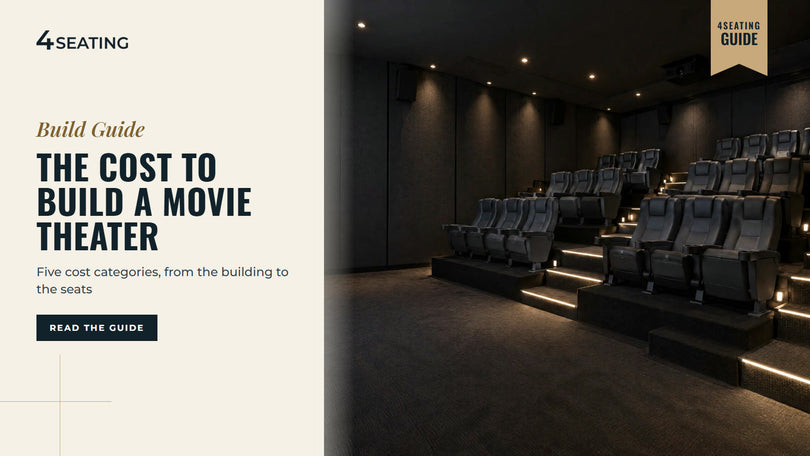
How Much Does It Cost to Build a Movie Theater?
Before you price a single seat, it helps to know the shape of the whole project. A theater build is several budgets stacked together: the building, projection and sound, seating, concessions, and licensing. This guide names those categories and what drives each one, without dollar figures, because costs vary widely by market and by whether you're converting a space or building from the ground up. Knowing how to open a movie theater on a sensible budget starts with pricing each of those five separately, not one blended figure. Look for what moves each category, plus the questions worth bringing when you ask for a quote. If you're speccing the seating line item, our commercial movie theater seating lineup covers free-standing and bolt-down rows in vinyl, fabric and polyurethane, so you can price that piece against a seat count before you commit to a design. This guide breaks the build into its major cost categories, then zooms in on seating, where 4Seating can help. No prices are quoted here. For anything you plan to finance or sign for, check with a trade association such as Cinema United, the theater owners' association formerly known as NATO, or a business advisor. The 5 Cost Categories in a Movie Theater Build Every theater project, whether it's a one-screen microcinema (a small venue with one or two screens) or a multi-screen commercial build, breaks into the same five buckets. These are the five calls you'll make before you can add up a real number. Category What it covers Major cost drivers Building Real estate (buy, lease or retrofit), construction, climate control, permits and code review Square footage, new construction vs. retrofit, local permitting Projection & sound Digital cinema projector(s), screen, surround sound system, booth equipment Screen count, screen size, resolution and sound format Seating Seats, risers, aisles, accessible positions Seat count, seat type, upholstery, row vs. tiered layout Concessions Counter build-out, equipment, ticketing and checkout system, initial inventory Menu complexity, footprint, equipment new vs. used Licensing & fees Business licensing, occupancy permits, film booking/distribution agreements Local jurisdiction, screen count, distributor terms Building and projection and sound tend to scale with screen count and square footage, so they are where a budget can swing most. Seating, concessions and licensing scale with seat count, menu size and jurisdiction instead. Price the building and the projection system first, then size seating against the room. Building and Site Costs Whether you buy raw land, lease a shell, or convert an existing building (a former retail box, a church annex, a warehouse) changes the budget more than almost any other decision. A retrofit, which means converting an existing space, can avoid some of the site work and structural build-out that ground-up construction adds, but it depends on the building's ceiling height, parking and condition. Ground-up construction usually brings a longer permitting process too. Whichever path you take, loop in your local building and fire code officials early. Occupancy, aisles, accessible seating positions and emergency exits are set locally, and they shape how many seats a room can hold. The International Code Council publishes the International Building Code, a model code that local jurisdictions adopt and sometimes amend, so check with your local code official before finalizing a layout. A seating vendor can't certify any of this for you. Projection, Sound and Screen Costs A digital cinema projection system, screen, and surround sound setup is generally one of the larger line items after the building itself, and the one that scales most with screen count and image size. Per-screen costs vary with format and equipment tier, so get quotes from AV integrators and cinema equipment suppliers. A single-screen microcinema needs one projection package; a multiplex multiplies that by each additional auditorium. Projectors, screens and audio equipment come from AV integrators and cinema equipment suppliers. This guide covers the seating side, everything the audience sits in. Seating Costs: Seat Count, Seat Type and Risers Seating is the line item you can size most precisely, because it scales with three variables you control directly: how many seats you need, what type of seat frame you specify, and whether the room uses a flat floor or tiered risers. Seat count, seat type and risers are the three dials; the rest of the room is largely fixed. Seat count. Multiply your target auditorium capacity by your row-and-aisle plan. A small microcinema screen holds far fewer seats than a larger commercial auditorium. Your local code official sets the ceiling on how many seats fit a given footprint, including aisles and accessible positions, so confirm capacity with them before finalizing a seat count. Commercial movie seats in a row of 3 are about 72" to 78" wide depending on the model, such as 74.5" for the Seatcraft Montago, so measure the wall before you pick a row size, and check the configuration options on the product page for bigger rows. Seat type. Commercial movie seating comes in two mounting styles: free-standing base rows, like the Seatcraft Montago, which bolt seats to a shared base plate that sits on the floor (no drilling into the slab required), and bolt-down rows, which anchor directly to the floor for a more permanent installation. Upholstery options run from vinyl and polyurethane, which wipe clean, to fabric, which gives a softer feel. Seat style Mounting Upholstery on the product pages Best fit Free-standing base Bolts to a shared floor plate; no slab drilling Vinyl (Montago, Madrigal), fabric (Zenith) Renovated spaces, leased buildings, easier reconfiguration Bolt-down Anchored directly to the floor Vinyl, fabric Permanent installations, ground-up builds Riser package Free-standing seats pre-configured on tiered platforms Vinyl Small auditoriums that want tiered sightlines without full construction Risers. Risers are raised platforms that lift each row above the one in front of it. Building them into new construction is a structural line item. A pre-configured riser package, with seats and platform together, is a way to add tiered seating to an existing flat-floor room without a full construction phase. The Seatcraft Montago 3-row riser package is one example, bundling seats with 7" and 14" platform risers and a step. Its overall width runs from 77" (3 seats per row) to 154" (6 seats per row), and it is 115" deep front to back. Browse our Stadium Movie Seat Packages for more riser configurations Check current specs and configurations on the product pages linked above. Concessions and Licensing A concessions counter adds equipment (popcorn machine, drink dispensers, a checkout system), a build-out for the counter itself, and initial inventory. Cost here scales with menu complexity far more than with theater size, since a simple popcorn-and-soda counter is a much smaller job than a full kitchen build-out. Licensing covers two different things: standard business licensing and occupancy permits, set locally, and film booking or distribution agreements, which govern what content you're allowed to screen and under what terms. Cinema United is a useful starting reference for both. Concessions scale with your menu, and licensing scales with your jurisdiction and your distributor contracts. How to Open a Movie Theater: The Small-Venue and Microcinema Angle Not every commercial screening room is a multiplex. Operators figuring out how to open a movie theater at a smaller scale often look at single- or dual-screen microcinemas, repertory houses, boutique screening venues, and event spaces that also run films, built in existing buildings rather than ground-up. One retrofitted room needs one projection package and one seating order instead of several, which changes the budget picture, though the figures depend on your market. For a microcinema, seating decisions carry more weight per seat, since there's no second or third auditorium to spread costs across. A single row of free-standing seats is easier to reconfigure later than a bolt-down install, which matters if you're leasing rather than owning the building. Vinyl or polyurethane upholstery wipes clean, which is worth weighing against the softer feel of fabric in a lower-traffic boutique room. This is also the segment where the line between "commercial theater" and "very serious home theater" blurs. If you're planning a private room rather than a public one, our home theater seating lineup and our home theater cost guide cover that different cost structure in more depth. Browse our Home Theater Seating Financing and Timeline Independent theater projects are often financed through some combination of a small-business loan, private investment, and owner equity, and some operators look at leasing equipment rather than buying outright. Terms vary a lot, so talk to a lender, Cinema United, or a business advisor before you plan around any one structure. Timeline usually runs longer than first-time operators expect. Site selection, permitting, construction or retrofit, equipment procurement and staff hiring all take their turn, and permitting can be one of the longest steps depending on your jurisdiction. Cinema United or a business advisor can help you set a realistic schedule for your market, with buffer time for permitting delays and equipment lead times. Getting a Seating Quote Because seat count, seat type and riser configuration move a commercial seating budget most, the useful next step is usually a conversation rather than a spec sheet. Browse the commercial movie theater seating collection linked above to price your seat count and riser configuration. For layout and seat-type questions beyond a single-screen build, our auditorium seating guide covers fixed, rocker and free-standing options in more depth. Warranty is part of the seating budget too. Seatcraft's 1-year limited warranty and the optional 5-Year Accident Protection Plan both cover seats in a home, not commercial use, so call 4Seating at 1-800-407-8665 to ask what coverage applies to a commercial theater before you plan around it. Shipping is free on commercial movie seats and every other seat 4Seating sells, anywhere in the continental US. Each product page's Dimensions and Specifications tabs cover fit for your layout. Prefer to order by phone, or still have a question? Our customer help line can support you during business hours at 1-800-407-8665. About this guide: 4Seating has sold theater seating since 1997, including the commercial movie seats in this guide.
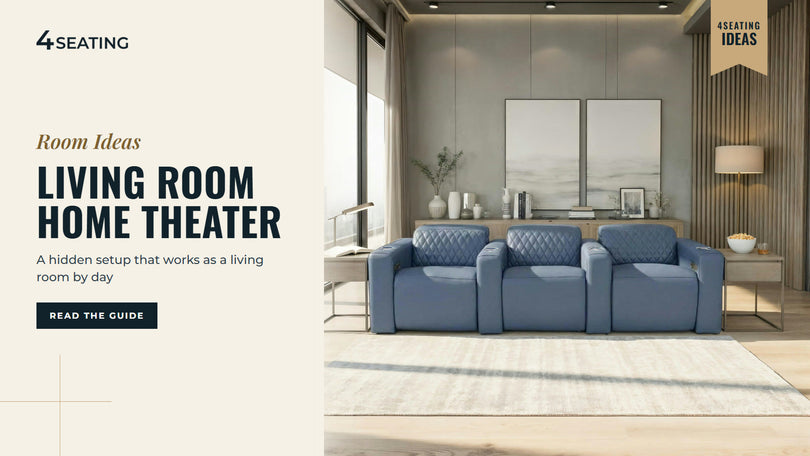
Living Room Home Theater: How to Build a Hidden "Sleeper" Setup
On a Tuesday morning your living room is just a living room: a sofa, a bookshelf, a throw blanket nobody folds. By Friday at 8 p.m. the screen glides down, the curtains close, and the headrests on the sofa flip up. That's a sleeper theater, and you can build one without giving up the room you actually live in. A living room home theater works when four things line up: a projector bright enough for a room that never gets fully dark, an ambient light rejecting (ALR) screen matched to that projector, window coverings that tame the daylight, and seating that looks like furniture until you press a button. Start with the checklist below, then jump to the part you're shopping for. If you'd rather begin with the seats, browse our Seatcraft home theater seats first. What Makes a "Sleeper" Living Room Theater A sleeper theater is a normal living room by day and a real home theater at movie time, with every piece of gear either hidden or dressed up as furniture. The goal is a room your family and guests can use all week, with a big picture on Friday night. Part By day At movie time Screen Rolled into the ceiling or a cabinet, or a fixed frame like a wall panel Lowered, raised or already in place Projector On a low cabinet below the screen, or ceiling-mounted On Light Curtains open, daylight in Curtains closed, lamps off Sound Soundbar or in-wall speakers that look like part of the room Full volume Seating A sofa or loveseat with a low-profile back Power recline, headrests up How Bright a Projector a Living Room Needs A living room needs a brighter projector than a basement theater, and projectors rated for brighter rooms tend to cost more than the entry-level models we cover in our home theater setup guide. The six below run about $2,500 to $5,300 at the time of writing (Oct 2026). Brightness is measured in lumens (how much light the projector puts out). What matters for your eyes is how bright the image is on the screen, measured in foot-lamberts (fL). A common guideline is about 16 fL for a dark room, within a range of 12 to 22 fL. For a family room, a common guideline is about 50 fL, and bright rooms are often given 60 fL or more. That's why a projector that looks great in a dark basement can look washed out at 4 p.m. in a living room. Here's the formula for running your own numbers: lumens = fL × screen area (sq ft) ÷ screen gain. Gain is how much light the screen sends back toward you, with a plain matte white screen at about 1.0. Here's a worked example for a 110" 16:9 screen, which is about 35.9 sq ft: At a 60 fL target and gain 1.0, you need about 2,154 lumens. With a screen at gain 1.3, the same target needs about 1,656 lumens. Two cautions before you shop. First, check which standard the brightness number uses. "Lumens," "LED lumens" and "lamp brightness" have no industry standard, while ANSI lumens and ISO/IEC 21118 are defined test methods. ISO and ANSI figures are broadly comparable but don't convert exactly, so only compare numbers within one standard. Second, direct sun on the screen beats any projector, because average sunlight can exceed 50,000 lumens. Ultra-short-throw or ceiling mount? Throw ratio is the throw distance divided by the image width, so a 1.2:1 projector making a 10-foot-wide image sits 12 feet back. An ultra-short-throw (UST) projector sits on a low cabinet just in front of the wall, and a 120" image needs only about 22" of throw distance. ProjectorCentral lists the pros as a large image from a short distance, easy placement and often built-in audio, with quality UST models running about $1,600 to $5,000. A standard-throw projector mounts on the ceiling or sits behind the seats, which suits a recessed ceiling screen. Projectors rated for brighter rooms Here are six projectors rated for brighter rooms. 4Seating doesn't sell them. They're listed by price, not by merit, and prices are about figures at the time of writing (Oct 2026), with MSRP where noted. Model Type Brightness (standard) About Hisense PT1 RGB laser UST, 4K DLP 2,500 ANSI lumens $2,498 Hisense C2 Ultra Laser, standard throw, 0.90 to 1.50:1 zoom 3,000 ANSI lumens $2,999 MSRP AWOL Vision Aetherion Max Laser UST, 4K DLP 3,300 ISO lumens $3,799 Hisense PX4 Pro RGB laser UST, 4K, 0.19:1 throw 3,500 ANSI lumens $4,000 MSRP Hisense L9Q Laser UST, 4K DLP 5,000 ANSI lumens $4,832 Epson QS100W Laser UST, 4K pixel-shift 3LCD 4,500 ISO lumens $5,332 Within the ANSI group, the L9Q is brighter than the PX4 Pro per their spec sheets (5,000 vs 3,500 ANSI lumens), and the PX4 Pro is brighter than the C2 Ultra (3,500 vs 3,000). Within the ISO group, the QS100W is brighter than the Aetherion Max (4,500 vs 3,300 ISO lumens). The C2 Ultra's zoom range suits a ceiling mount, and the PX4 Pro's 0.19:1 throw ratio lets it sit very close to the wall. For the room you have, work backwards: pick your screen size, run the formula for 50 to 60 fL, then look for a projector comfortably above that number. ALR Screens: How Ambient Light Rejecting Screens Work An ambient light rejecting screen reflects the projector's light toward the audience and redirects light that arrives from other directions. It only works when the room light and the projector light come from different directions, which is why the screen has to match the projector. Match the screen to the projector This is where most buying mistakes happen. ALR screens come in two main families: Ultra-short-throw screens (ceiling-light-rejecting, lenticular or Fresnel designs) are made for projectors that throw upward at a steep angle from a low cabinet. Long-throw screens (angular-reflective designs) are made for projectors mounted on the ceiling or placed back in the room. Makers state that the two aren't interchangeable. One lists its angular-reflective screen as not compatible with UST projectors, and another says its Fresnel UST screen is incompatible with long-throw and ceiling-mounted projectors. Before you buy, check the projector's throw type against the type named on the screen's page. What the tests show ProjectorCentral measured contrast ratio, which is how much brighter the screen's white is than its black. In a 2016 test with window light on an 80" image, a plain white board measured 10:1, and the ALR screens measured about 27:1 to 36:1, so all 11 beat white. In a 2015 test, a white screen measured 86:1 in a dark room and 20:1 with a side window open. Ceiling light is the easiest for these screens to reject. Light from the side, such as a window or a floor lamp, is the toughest case. In a fully dark room, the tested ALR screens showed no noticeable difference, so skip the feature if you'll only watch at night. ALR has limits too. ProjectorCentral called a 2,400-lumen UST with an ALR screen bright enough for a living room, while noting that some light control is still wanted. UST plus ALR setups are often limited to about 100" to 120" images, and higher gain narrows the viewing cone, so check the listed viewing angle if people sit off to the side. Screens That Disappear: Floor-Rising, In-Ceiling and Motorized A screen can hide four ways: rising from a cabinet, dropping from a recessed slot in the ceiling, rolling down from a case, or sitting on the wall as a fixed frame that doubles as decor. Pick by where your projector sits, since that decides the screen type. Format How it hides Usual pairing About (examples, Oct 2026) Floor-rising Rises from a low cabinet The common UST pairing About $1,900 to $2,900 Recessed in-ceiling Housing sits flush with the ceiling when closed Standard-throw projectors; ALR versions for long throw Starts around $1,000 for matte white, around $2,850 for long-throw ALR Motorized drop-down Rolls up out of sight Either, if matched to the projector type Varies; compare listings Fixed frame Doesn't hide, but flattest UST CLR versions pair with UST projectors UST CLR fixed frames start around $730 Manufacturers describe free-hanging motorized fabric as able to curl or wave, and tab-tensioned versions pull the sides taut to keep the picture flat. On a tighter budget, projector screen paint is another route. Dedicated kits run about $100 to $160, and ordinary wall paint isn't the same thing, so source the right type. Light Control in a Living Room Plan on evening movies with the curtains closed and daytime viewing as a bonus. A projector can't project black, so any light that reaches the screen lifts black to gray and flattens contrast. An ALR screen helps, but it doesn't replace closing the curtains. Start with the room itself. Light-colored walls and ceilings near the screen bounce the picture's own light back, and the ones closest to the screen matter most. How to choose blackout curtains or shades There's no formal standard for the labels. Retailers commonly call 99 to 100 percent light blocking "blackout" and about 95 to 99 percent "room darkening," with less than that called "light filtering." That rating describes the fabric, not the finished window, because light leaks around the edges. To close the gaps: Extend the rod about 3" to 10" past each side of the window frame. Use a wraparound ("French return") rod so the curtain turns back to the wall. Mount the rod close to the ceiling, and overlap the center panels by 2" to 4". Remember that a blackout liner blocks light through the fabric, not around it. Where to buy: home-goods and department stores, home-improvement stores, window-treatment specialists, and custom drapery workrooms that can make drapes to your measurements with a blackout lining. And check them in person if you can. A "blackout" label isn't a guarantee, so hold the fabric up to a bright light and see whether any comes through. Motorizing the curtains The SoundRight Electric Curtain Rod System from 4Seating is a motorized track, with the curtain fabric not included, so you bring your own blackout drapes. It runs from a remote or an optional control pad, with an optional timer. A dual-track option hangs a sheer curtain behind the main curtain, with each track running independently, and the product page lists compatibility with Crestron and other major home automation systems. 4Seating's SoundRight velvet curtains frame or cover the screen, but they aren't sold as blackout. Browse our Home Theater Curtains and Accessories Sound You Don't See The easiest sound to hide is a soundbar system, and the next easiest is in-wall or in-ceiling speakers, with a qualified installer doing the in-wall work. A soundbar system packs processing, amplification and speakers into one bar under the screen. Atmos bars aim upfiring speakers at the ceiling, so a flat ceiling suits them. Wireless subwoofers and rear speakers come in the box with some systems and are optional on others. These four are examples of what's on the market, and 4Seating doesn't sell them. Prices are about figures at the time of writing (Oct 2026). System Channels as stated Dolby Atmos Sub and rear speakers About Sonos Arc Ultra 9.1.4 Yes Optional wireless sub and rears; bundle with the sub is $1,898 $1,099 Samsung HW-Q990H (2026) 11.1.4, 23 speakers Yes Wireless sub and rears included $1,999.99 Nakamichi Shockwafe Wireless 11.2.6, 31 drivers Yes, plus DTS:X 2 wireless subs and 2 wireless surrounds included $2,499.99 list Bose Smart Ultra Soundbar 9 speakers incl. 2 upfiring Yes Optional Bass Module 700 ($699), up to 2 $999 In those channel counts, the first number is ear-level speakers, the ".1" is subwoofers and the last is overhead speakers, so 5.1.4 is five ear-level speakers, one sub and four overhead. In-ceiling speakers are the most invisible, with a catch. Dolby says an all-ceiling layout isn't recommended, because ear-level speakers belong at ear height, and it suggests Atmos-enabled upfiring speakers where ceiling speakers aren't possible. Passive in-wall and in-ceiling speakers also need an AV receiver, the hub that decodes the sound, switches HDMI sources and powers them. Seating That Looks Like Living Room Furniture Seats blend into a living room when the backs sit low by day and the extras hide in plain sight. Seatcraft's FX line is built around that idea: each seat has a power headrest that flips up when you activate it, so the back sits low and flat the rest of the time. All four FX models share power recline, 7-color LED baselighting, a standard 110v plug, a chaise-style padded footrest, 350 lbs. per seat and an easy-off backrest. If you need an outlet added near the seating, a licensed electrician is the right person to ask. Here's how they differ: Diamante FX: Italian leather in 8 colors with a diamond-stitch pattern, consoles with storage and dual cupholders, and a 3" wall clearance for full recline. Catalina FX (power console): performance fabric seats with Italian leather arms in 8 color combinations. The storage consoles house a wireless charging surface with hidden cupholders and storage, and it needs 3" of wall clearance. Palisade FX: performance fabric, with a console table between each arm, curved outside armrests and a 3" wall clearance. It has no cupholders. Solis FX sofa: Italian leather in 17 colors, with padded arms that hold in-arm storage and USB-A and USB-C in each LED cupholder, one per seat. It needs 5" of clearance. If you'd rather the seating read as a sofa, two of our best sellers come in that shape. The Anthem Sofa pairs Italian leather with power recline and a power headrest that tilts so the screen stays in view, and it needs 6.5" from the wall for full recline. The Armada LT HeatZero Sofa adds zero gravity recline, heat and power lumbar (an adjustable lower backrest cushion), with USB-A and USB-C in each LED cupholder. Beyond those two, the media room sofa category and the wireless charging sofas and loveseats fit the same idea. And if you're still weighing a dedicated room against a living room setup, our guide on media room vs home theater lays out the trade-offs. Browse our Powered Headrest Theater Seating Browse our Media Lounge Sofas Where to Start: 4Seating's Living Room Picks Diamante FX Flip-Up Headrest Home Theater Seats - flip-up power headrests and a low-profile back, in Italian leather. Catalina FX Power Console Home Theater Seats - consoles with a wireless charging surface and hidden cupholders. Palisade FX Home Theater Seating - a console table between each arm in performance fabric. Solis FX Home Theater Sofa - sofa form with in-arm storage and USB-A and USB-C charging. Seatcraft Anthem Sofa - a sofa shape in Italian leather, with power recline and a power headrest. Armada LT HeatZero Home Theater Sofa - zero gravity recline with heat, plus 7-color LED cupholders and baselights. SoundRight Electric Curtain Rod System - a motorized track for your own blackout drapes, with a dual-track sheer option. Every seat ships free anywhere in the contiguous US. Sample swatches are available for many upholstery options. To order by phone or ask a remaining question, call our customer help line during business hours at 1-800-407-8665. About this guide: 4Seating has been selling home theater seating since 1997, including the FX seats and sofas covered here.
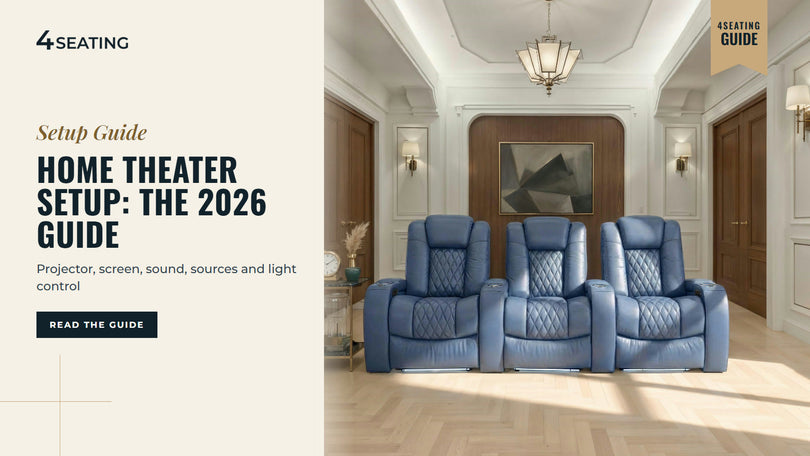
Home Theater Setup: The 2026 Guide to a Complete System
Friday night, the lights go down, the movie starts, and something's off. The picture looks gray, the dialogue disappears under the explosions, and every window in the room seems to glow. Most home theater setups go wrong in the gaps between the parts, not in any single piece of gear. A complete home theater setup has six parts: a display (a projector or a TV), a screen, sound, a movie source, light control and seating. Seating comes last in this guide, but it's where you'll spend the evening, so it's worth browsing home theater seating while you plan the gear. Start with the checklist below, then jump to the part you're shopping for. If you're still sizing the room itself, our guide to how to build a home theater covers room planning, and this guide stays on the equipment. The Home Theater Setup Checklist Six decisions make up a home theater system setup. Work through them in this order. Part What to decide Where it's covered Display Projector or TV; brightness, throw distance, light source Projector or TV, and How to Choose a Projector Screen White or gray; size; paint as a budget option Projector Screens for a Dark Room Sound 5.1, 7.1 or Atmos; receiver or soundbar; subwoofer Home Theater Sound System Setup Movie source Streaming, 4K discs, a download-to-own player or a media server Movie Sources Light control Blackout curtains, dark surfaces, closing gaps Light Control Seating Row size, viewing distance, a second row Seating 4Seating sells the seating, curtains, risers and acoustic panels in this guide. The projectors, receivers and soundbars in the tables are named as examples from their makers' spec sheets. They aren't 4Seating products, and the order they're listed in is by price, not preference. Projector or TV, and How to Choose a Projector A projector makes sense when you want a very large picture in a room you can darken. ProjectorCentral's comparison (March 2024 prices) found projection keeps a better cost per inch above 100 inches, and a projector with a motorized screen can disappear when you're not watching. A TV is the easier path in a bright or small room. TVs run about 90 to 120 fL (foot-lamberts, a measure of how bright the picture looks on screen), so they hold up in daylight more easily than a projector does. How to choose a projector for your room Three numbers do most of the work: brightness, throw ratio and light-source life. Brightness. Projector makers don't all measure brightness the same way. ANSI lumens and ISO/IEC 21118 are the defined test methods, while plain "lumens," "LED lumens" and "lamp brightness" have no industry standard, and many budget brands follow neither. ANSI and ISO figures are broadly comparable but don't convert exactly, so compare within one standard only. How many lumens you need depends on the room. ProjectorCentral's guide gives SMPTE's dark-room target as 16 fL (with an allowed range of 12 to 22 fL) and a family-room figure of about 50 fL. The formula is lumens = fL x screen area in square feet, divided by screen gain (how much light the screen reflects back compared with a standard white surface). A 110-inch 16:9 screen is about 35.9 square feet. At 16 fL on a gain 1.0 screen, that's about 575 lumens. At 60 fL, it's about 2,150. A darker room asks far less of the projector, and that's the point to hold on to in the next sections. Throw ratio. This is throw distance divided by image width. A 1.2:1 projector making an image 10 feet wide sits about 12 feet from the screen, so check the projector's throw range against the distance from your screen wall to where it will mount. Ultra-short-throw (UST) models are the exception: a 120-inch image needs only about 22 inches of distance, which is why they sit on a low cabinet near the wall. Light source and resolution. ProjectorCentral lists lamp life at about 5,000 hours (about 10,000 in eco mode, which lowers output), and LED and laser at 20,000+ hours. Laser is now the usual starting choice below 6,000 lumens. On resolution, pixel-shift models move a lower-resolution chip to reach 3840 x 2160, while native 4K models, such as the Sony and the JVC D-ILA range below, use 4K panels. Entry tier: about $800 to $1,500 For a home theater, plan on spending $500 or more on the projector. These four current models sit at the entry end of that range. Prices are approximate, as of the time of writing (Oct 2026), and each brightness figure is on the standard shown. Model Light source / chip Resolution Brightness Rated light-source life About Epson Home Cinema 980 Lamp, 3LCD 1080p 4,000 ISO (white) Up to 6,000 h, or 12,000 h in ECO $799 to $850 Optoma UHD38x Lamp, DLP 4K UHD 4,000 ANSI (per ProjectorCentral) Up to 4,000 h (Bright) or 15,000 h (Dynamic) $1,132 Hisense M2 Pro RGB triple laser, DLP 4K UHD 1,300 ANSI 25,000 h $1,147 to $1,300 Epson Home Cinema 2350 Lamp, 3LCD 4K PRO-UHD (pixel-shift) 2,800 ISO (white) Up to about 4,500 h, or 7,500 h in low mode $1,449 to $1,500 Within ISO, the Home Cinema 980 is brighter than the Home Cinema 2350 per their spec sheets (4,000 vs 2,800 ISO lumens). Within ANSI, the UHD38x is brighter than the M2 Pro (4,000 vs 1,300 ANSI lumens). The M2 Pro's strength is its 25,000-hour rated laser life, the Home Cinema 980's is its price, and the UHD38x and Home Cinema 2350 both bring 4K. The main shortlist: about $1,400 to $7,000 If you're already investing substantially in the room, consider a strong projector too. Seating is where the comfort is, and sound makes a huge difference, so a projector is one piece of a balanced budget. On the projector side, you can get away with a less expensive model if the room is fully pitch black, since a darker room needs fewer lumens (see the formula above). These six are grouped by brightness standard, because ISO and ANSI figures shouldn't be compared with each other. Prices are approximate, as of the time of writing (Oct 2026). Rated in ISO lumens Model Light source / chip Brightness About XGIMI HORIZON 20 Laser, 4K DLP 3,200 ISO $1,399 Epson LS7500 Laser phosphor, 4K pixel-shift 3,500 ISO $2,700 XGIMI TITAN Dual laser, 4K DLP 5,000 ISO $3,999 Rated in ANSI lumens Model Light source / chip Brightness About BenQ TK710 Laser phosphor, 4K pixel-shift 3,200 ANSI $1,999 Sony VPL-XW5100ES Laser, native 4K SXRD 2,200 ANSI $6,998 JVC DLA-NZ500 Laser, 4K D-ILA 2,000 ANSI $6,999 Per their spec sheets, the TITAN is brighter than the LS7500 (5,000 vs 3,500 ISO lumens), and the LS7500 is brighter than the HORIZON 20 (3,500 vs 3,200). In the ANSI group, the TK710 is brighter than the Sony (3,200 vs 2,200 ANSI lumens). The Sony's strength is its native 4K panels, and all six use laser light sources, a type ProjectorCentral lists at 20,000+ hours. Buying a used projector The second-hand market isn't a bad place to look, as long as you check the hours first. Open the projector's menu and look under "Info" or "Information" for lamp or light-source hours. On some models the figure is only in a service menu, so ask the seller to show you. Lamp life is rated as the hours until a lamp reaches half its original brightness, and those ratings are averages. Lamps also lose about 25% of their brightness in the first 500 hours, then decline more gradually, so a used lamp projector will look dimmer than its spec sheet. Replacement lamp costs vary widely: one maker lists a lamp at $76, while a reviewer says $299 to $399 is typical for home theater models. Projector Screens for a Dark Room: White vs Gray In a dark room, the choice usually comes down to white or gray. Gain is the main spec to read: matte white is the baseline at about 1.0, high-contrast whites run about 1.1 to 1.5, and gray screens are typically 0.7 to 1.1. Higher gain adds brightness at the center of the screen but narrows the viewing cone, and gains above about 1.5 are normally not viable for home theater setups. ProjectorCentral's buyer's guide describes gray as able to improve perceived black level and contrast in dark or moderately lit rooms, at some cost to brightness. Do you need an ALR screen? ALR (ambient light rejecting) screens work by reflecting the projector's light toward your seats and redirecting light from other directions. They only help when room light and projector light come from different directions. In a fully dark room, tested ALR screens showed no noticeable difference, so a dark theater gets little from one. If your room is also a living room, see our living room home theater guide for how ALR screens work with brighter rooms. Size and viewing angle A common guideline is to size the screen by the angle it fills in your view. SMPTE suggests about 30 degrees and THX about 36 degrees, with 30 to 40 degrees generally ideal. At 15 feet, SMPTE gives about a 110-inch diagonal and THX about 134 inches, and the most popular sizes are 100, 110 and 120 inches. 16:9 matches TV and streaming. A 2.4:1 screen suits scope films, but 16:9 content shows with bars at the sides. Our guide to how far your couch should be from the TV turns the angles into distances. A fixed-frame screen is the flattest option, and motorized in-ceiling screens hide away, with examples starting around $1,000 for matte white. Projector screen paint Paint is the budget route: a coating rolled or sprayed onto a wall so the wall works as a screen. It comes in white, gray (lower brightness, can help black level) and ALR (which works only when room light comes from a different direction than the projector). Dedicated projection-paint kits run about $100 to $160. Source the right paint. Ordinary wall paint isn't the same thing: in ProjectorCentral's test, a gray wall-paint color measured about 27% dimmer than a reference screen and reduced color saturation. Match the paint type to your room and projector, the same way you'd match an ALR screen. Prep matters, because any flaw left on the wall can show up in the image. Sand, fill and prime first, use a roller nap of 1/4 inch or less, and paint the border dark and matte. In that same test, satin finishes gave the strongest results: flat looked dull and semi-gloss produced hotspots. A real screen surface is smoother than a painted wall. Home Theater Sound System Setup What 5.1, 7.1 and Atmos mean In Dolby's naming, the first number counts the ear-level speakers, ".1" counts subwoofers, and the last number counts overhead speakers. So 5.1 is five ear-level speakers and one sub, 7.1 adds two more ear-level speakers (rear surrounds), and 7.1.4 adds four overhead speakers. A 7.2.4 layout has two subs. Dolby's 7.1.4 placement guide gives angles you can measure from your main seat: center: 0 degrees front left and right: 22 to 30 degrees side surrounds: 90 to 110 degrees rear surrounds: 135 to 150 degrees overheads: 30 to 55 degrees elevation, with 45 as the reference Dolby also says ear-level speakers belong at ear height, and that all-ceiling installs "will not give the optimal experience." Atmos-enabled upfiring speakers are the alternative where ceiling speakers aren't possible, such as rentals or concrete ceilings. You may see an "83% rule" for speaker spacing. It's a stereo starting point from audio consultant Jim Smith, not a home theater standard, and Dolby uses angles instead. Receiver or soundbar A receiver is the hub of a surround system. It decodes Dolby Atmos and DTS:X, switches your HDMI sources, powers passive speakers and sends a line-level signal to a powered subwoofer. A soundbar puts processing, amplification and speakers in one bar, with wireless subs and rear speakers included on some systems and optional on others. A receiver build is more expandable, because you can add speakers and upgrade one piece at a time. A soundbar is simpler to set up and easier to hide. When you compare receivers, amplified channels (how many speakers the unit can power) aren't the same as processing channels (how many it can decode). A receiver with 9 amplified channels powers a 5.1.4 or 7.1.2 layout without an external amp, since each uses 9 speakers plus a sub. Power below is as each maker states it: watts per channel at 8 ohms, 20Hz to 20kHz, 2 channels driven. Prices are US list, as of the time of writing (Oct 2026). All six list eARC and Dolby Atmos and DTS:X support. Model Amplified / processing channels Rated power HDMI in Room correction Sub outs About Denon AVR-S770H 7 / 7.2 75 W, 0.08% THD 6 (3 are 8K) Audyssey MultEQ 2 $749 Denon AVR-X1800H 7 / 7.2 80 W, 0.08% THD 6 (3 are 8K) Audyssey MultEQ XT, mic included 2 $849 Denon AVR-X2900H 7 / 7.2 95 W, 0.08% THD 6 (3 are 8K) Audyssey; Dirac Live optional 2 $1,349 Marantz Cinema 70s Series 2 7 / 7.2 50 W, 0.08% THD 6 (3 are 8K) Audyssey MultEQ XT; Dirac Live optional 2 $1,500 Denon AVR-X3900H 9 / 11.4 105 W, 0.08% THD 6 (all 8K) Audyssey; Dirac Live ready 4 independent $1,849 Marantz Cinema 50 Series 2 9 / 11.4 110 W, 0.08% THD 6 (all 8K) Audyssey MultEQ XT32; Dirac Live optional 4 independent $3,000 Per the makers' spec sheets, the Cinema 50 Series 2 is rated at more power per channel than the X3900H (110 vs 105 W). The X3900H and Cinema 50 Series 2 each offer 9 amplified channels, and their "4 independent" sub outputs mean each output has its own level and distance settings. For soundbar systems, here are four with the details their makers list. System Channels as stated Atmos HDMI Sub and rears Room tuning About Sonos Arc Ultra 9.1.4 Yes eARC Optional Wi-Fi Sub and rear speakers; bundle with Sub: $1,898 Trueplay $1,099 Samsung HW-Q990H 11.1.4, 23 speakers Yes 2 HDMI in, eARC out, 4K120 passthrough Wireless sub and rears included SpaceFit Sound Pro $1,999.99 Nakamichi Shockwafe Wireless 11.2.6, 31 drivers Yes, plus DTS:X 2 HDMI 2.1 in, eARC out, 4K120/8K60 passthrough 2 wireless subs and 2 wireless surrounds included Presets and app $2,499.99 Bose Smart Ultra Soundbar 9 speakers, 2 upfiring Yes eARC Optional Bass Module 700 ($699), up to 2 ADAPTiQ $999 The Samsung and Nakamichi systems include their wireless subs and rear speakers in the box, while the Sonos and Bose list a subwoofer as an optional add-on. Channel counts are as each maker states them. Subwoofer placement and the first reflections A common guideline for placing a subwoofer is the "crawl": put the sub at your main seat, play a low bass sweep, crawl around the room to find where it sounds smoothest, then put the sub there. One sub optimizes one seat, so check the spot from the others. For first reflections, sit in your main seat while a helper slides a mirror along the side wall. Where you can see a speaker in the mirror is the reflection point to treat. Our acoustic panel placement guide walks through the next step, and the acoustical wall panels collection has the panels. Movie Sources: Streaming, Discs, Kaleidescape and Your Own Media Server Your display is only as good as what you feed it. Here are the common sources. Streaming. Netflix recommends at least 15 Mbps of internet speed for 4K. 4K UHD Blu-ray. Discs carry lossless audio (Dolby TrueHD and DTS-HD Master Audio), which streaming services generally don't offer. The player market is thinning: per a December 2024 industry report, Samsung stopped making UHD players in 2019 and LG has exited, while Panasonic, Sony and Magnetar remain. Kaleidescape Strato V. This is a movie player you download films to, buying them from Kaleidescape's own store. It has a built-in 960 GB SSD, Dolby Vision and lossless audio, at about $3,995 MSRP. Your own media server. Plex, Jellyfin and Emby organize movie files you already have on a home server and stream them to TVs and players. A small mini PC or a NAS (network storage box) is the usual hardware, and playback devices vary in their support for lossless audio passthrough, so check a device's specs before you buy. Jellyfin is free and open source. Plex changed its pricing on April 29, 2025. Plex Pass is $6.99 a month, $69.99 a year or $249.99 lifetime. Streaming your own media outside your home needs Plex Pass or a $1.99-a-month Remote Watch Pass, and streaming within your home network stays free. Over-the-air DVR. The Tablo 4th Gen comes with 2 or 4 tuners, and its site says there are no subscriptions or monthly fees. HDHomeRun is a network tuner, usually paired with Channels DVR or Plex DVR software. Major broadcasters encrypt ATSC 3.0 (NextGen TV) signals, and support for encrypted channels varies by tuner, so check before you buy. A note on copying discs. This isn't legal advice. US law (17 U.S.C. §1201) prohibits circumventing the copy protection on DVDs and Blu-rays. The Copyright Office's exemptions (37 CFR 201.40) are narrow, such as short clips for criticism, education, accessibility and preservation, and they don't cover making personal copies of discs you own. We give no copying guidance here, and media servers are for files you have the rights to. Light Control: Why Blackout Matters With a Projector A projector can't project black. It can only leave the screen unlit, so any light that reaches the screen lifts black to gray and flattens contrast. ProjectorCentral puts it this way: the room's contrast sets the black level you'll get, and even the LEDs on equipment front panels can splash light onto the screen. The measured numbers show how much. In ProjectorCentral's 2015 test of a white screen, contrast measured 86:1 in a dark room and 20:1 with a side window open. That gap is why a fully dark theater can get away with a more modest projector. Dark, matte surfaces help too. Light-colored walls and ceilings near the screen bounce the image's own light back and raise the black level, and the ceiling and side walls nearest the screen matter most. Our home theater lighting ideas guide covers the lighting side. Blackout vs room-darkening There's no formal standard, but retailers commonly call fabric that blocks 99 to 100% of light "blackout," about 95 to 99% "room darkening," and anything less "light filtering." The rating describes the fabric, not the installed result, because light leaks around the edges. To close the gaps: extend the rod about 3 to 10 inches past each side of the window frame use a wraparound or "French return" rod so the curtain turns back to the wall mount the rod close to the ceiling overlap the center panels 2 to 4 inches Where to buy blackout curtains You can find them at several kinds of stores: home-goods and department stores, home-improvement stores, window-treatment specialists, and custom drapery workrooms that can make drapes to size with a blackout lining. Check them in person if you can. A "blackout" label isn't a guarantee, so hold the fabric up to a bright light and see whether any comes through. Where 4Seating's curtains fit SoundRight surround and open/close curtains frame or cover the screen. They're velvet, in red, blue or black with black or gold tassels, and they aren't sold as blackout curtains. For a curtain color beyond these, call 1-800-407-8665 and it can be made on request. For a motorized track, the SoundRight Electric Curtain Rod System runs on a remote, and the curtain fabric isn't included, so you'd bring your own. Browse our Home Theater Curtains Seating: The Part You'll Touch Every Movie Night Most home theater seats are bought as rows, and a row of 3 runs about 90 to 126 inches wide, depending on the model. Measure your wall before you shop. For the room-planning side, including row count, risers and budget, see how to build a home theater. For picking a style that fits your space, see which home theater seating fits your space and style. If you're planning a second row, BACKROW seating builds the extra height into the seat base. Browse our Seatcraft Home Theater Seats Browse our Best Sellers Where to Start: 4Seating's Seating Picks for a Dark-Room Theater Diamante Italian Leather Zero Gravity Home Theater Seating - zero gravity power recline, a power headrest that tilts so the screen stays in view, and 7-color LED cupholders and baselights that glow softly once the lights go down. Luminis Zero Gravity Home Theater Seating with Heat & Massage - heat and massage, a power headrest and power lumbar (an adjustable lower backrest cushion), with USB-A and USB-C in each LED cupholder. Sienna Italian Leather Spacesaver Home Theater Seating - power recline that needs only 3" from the wall, for a room where every inch counts. SoundRight Risers - 7" and 14" heights, for lifting a second row. Every seat ships free throughout the contiguous US. Sample swatches are available for many upholstery options. Questions left after all that? Our customer help line can help during business hours at 1-800-407-8665. About this guide: Since 1997, 4Seating has been selling home theater seating, including the theater seats covered here.
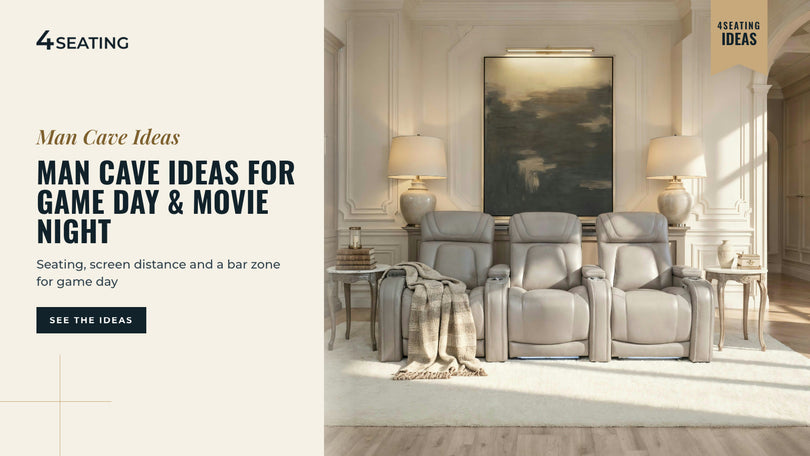
Man Cave Ideas: Setups Built for Game Day & Movie Night
The game's on, a few friends are over, and everyone has a seat with a clear view of the screen. That's the short answer to man cave ideas: start with seating sized to your room, then build the bar, lighting and decor around it. Basements, garages, spare rooms and bonus rooms all work as a man cave. The space just changes which seating and clearance you plan for first. We'll cover which room type fits your space, how to choose between a row of recliners, a sectional and a raised back row, and where the screen and the bar should sit so nobody's blocking anyone else's view. Start with a browse of 4Seating's home theater seating to get a feel for row sizes and styles before you pull a tape measure. It's easier to plan a layout around real seat dimensions than to guess and adjust later. Man Cave Ideas by Space: Basement, Garage, Spare Room or Bonus Room A basement usually gives you the most room for a man cave, a garage gives you the most floor space but needs insulation, and a spare room or bonus room gives you the least work but the tightest footprint. Each one brings a different first problem to solve before seating even enters the picture. Basement: check for moisture and a working sump pump before finishing walls or floors, and measure ceiling height where it comes down closest to the floor, under a duct, beam or sprinkler head, before you commit to a raised back row or a riser. A local contractor can confirm anything structural or code-related, including ceiling and egress questions. Garage: insulate the walls and door, add heating or cooling if you'll use the room through summer and winter, and seal the floor if it isn't already finished. A garage that's too hot or cold fights against comfortable seating no matter how good the chairs are. Spare room: usually the fastest space to convert, since it's already finished. The tradeoff is size: a spare bedroom often suits a 2- or 3-seat row better than a longer one, so measure the wall width before you shop rows. Bonus room: if yours sits over a garage or has an awkward roofline, our companion guide, Bonus Room Ideas, covers layouts that work around sloped ceilings and single-entry floor plans. Space Biggest advantage Biggest thing to plan around Basement Room to build a full row, riser or bar Moisture, ceiling height, egress Garage Most raw floor space Insulation, heating/cooling, flooring Spare room Fastest, least construction Limited width for a full row Bonus room Often already carpeted and finished Sloped ceilings, single access point Quick check before you shop seating: tape-measure the narrowest point of your access, the stairs, garage door track or hallway, not just the room. Many rows can be broken down into pieces if a staircase or garage door won't clear a full row, so check your model's instructions. Match the room's limit, whether moisture, ceiling height or width, before you fall for a particular layout. Seating First: Rows, Sofas or a Raised Back Row Man cave seating comes down to three layouts: a theater row of recliners, a big sofa or sectional, or a raised back row behind a front row. Pick based on who's actually in the room on a Saturday, not which layout looks best in a photo. A theater row makes sense when movie night and game day both matter, and you want individual recline and a footrest for each seat. Rows come in a range of widths, so check the wall-width math against the model you like: Row size Approximate width 2-seat row about 62-86" 3-seat row about 90-126" 4-seat row about 117-164" The exact width depends on the configuration you choose, so confirm it on the product page. A big sofa or sectional works better for a room that also hosts a crowd on game day. The Wilshire Media Room Large U-Sectional Pit wraps a room in a U shape, so it suits both a big screen and a general hangout space. Browse our Sofas & Sectionals A raised back row solves a different problem. Add a second row behind a front row without raising it, and the back row loses the bottom third of the screen behind the heads in front, exactly where a scoreboard or game clock usually sits. A raised back row, like the Grenada BACKROW, is built taller into the seat base itself, so the back row keeps its sightline without a separate riser platform underneath it. The Grenada BACKROW is about 6.5" taller than the standard Grenada row, so check your front row's height. FRONTROW seats sit lower than standard seats, which adds sightline clearance when paired with BACKROW. If you'd rather use a platform, SoundRight risers come in 7" and 14". That matters most in a man cave that's also hosting a bar or a standing crowd, since it keeps the floor behind the front row clear instead of taking up space with a platform. Browse our Back Row Seating If your layout is a wallhugger row, leave room behind it to recline. Wallhugger means the space a seat needs between its back and the wall when fully reclined. Across Seatcraft models it's about 3" to 6.5", for example the Sienna at 3", the Napa at 5" and the Pantheon at 6.5". Check the Specifications tab, and use Full Recline on the Dimensions tab, the distance from the wall when fully reclined, to keep tables and walkways clear. Then use the exact width listed for the model and configuration you choose. Let the crowd size pick the layout: rows for individual recline, a sectional for a packed game day, a raised back row when floor space behind the front row matters. Game-Day Setup: Screen Size and Seating Distance Getting the distance right matters as much for game day as it does for movie night, since a scoreboard or replay you can't read defeats the purpose of the room. The right distance scales with your screen size; it isn't one fixed number for every room. Sit closer for an immersive, cinema-style feel, and farther back for a relaxed, TV-room feel. A common guideline is a screen that fills about 30 degrees of your view (SMPTE), while THX is usually cited at roughly 36 to 40 degrees, which means sitting closer (Sound & Vision). For live sports you may prefer the farther, more relaxed end, so scoreboards and graphics at the edges of the picture stay comfortable to read. For the full formula, screen-size chart and second-row math, see our guide, How Far Should Your Couch Be From the TV? If you're building around a projector and screen instead of a TV, measure your actual throw distance and screen size before you finalize where the front row sits. It's easier to move a row a few inches during planning than after the seats are in place. If you're timing the build around a big game, pick the date first and work backward from it. That gives you room to measure, order and set up the seating before the crowd arrives, instead of scrambling the week before. Bar and Snack Zone A bar or snack zone is a popular man cave addition, and it works best when it doesn't interrupt the sightline to the screen or the walking path behind the seats. Quick check: stand where the back row sits and look toward the screen. If a bar, shelf or standing crowd would block that line, move it. A simple wall-mounted shelf or ledge behind the back row keeps drinks and snacks off the floor without a full bar build. A dedicated bar, wall-mounted, L-shaped or a full wet bar, works well along a side wall or in an adjoining corner, out of the direct sightline to the screen. Keep it far enough behind or beside the seating that nobody's reaching across a reclined footrest to grab a drink mid-game. For the full rundown on bar clearances and pairing a bar with a raised back row specifically, see our guide, Basement Bar Ideas Decor and Lighting for a Man Cave Man cave decor tends to fall into a few repeatable categories: team or hobby-themed wall art and signage, ambient lighting layered with brighter task lighting near a bar or game table, and flooring that can take some wear. A rug or hard-wearing flooring suits a high-traffic game-day crowd. Keep floor lamps and side tables out of the walking lane behind the seating, and leave outlets near the row if your seats have powered recline or USB charging, so cords don't cross the walkway. Power recline models plug into a standard 110v wall outlet and each seat may need its own, while manual models don't plug in. A licensed electrician can advise if you need another outlet. Dimmable ambient lighting is worth prioritizing over decor purchases early on. A room that's too bright washes out the screen, and one that's too dark makes it hard to see your snacks. A few floor or wall fixtures on a dimmer solve both problems without a full redesign. If your seating has built-in LED baselighting or cupholder lighting, check the specific product page for which models include it. It varies by series, so treat it as a per-model feature. Get the lighting dimmable first; decor is easy to add later. Where to Start: 4Seating's Man Cave Seating Picks Rows, sectionals and BACKROW seating all work in a man cave, so start with the piece sized to the crowd you actually host. Wilshire Media Room Large U-Sectional Pit - a U-shaped sectional that wraps a room, for a man cave that also doubles as the family hangout space. Grenada BACKROW - a taller second-row seat that keeps its own sightline over the row in front without a riser platform. Luminis Zero Gravity with Heat & Massage - our best-selling row, with zero-gravity recline and heat and massage. Diamante FX Flip-Up Headrest - a flip-up headrest model with a 3" wall clearance on its Specifications tab. Rialto Italian Leather & Fabric - Italian leather paired with performance fabric, for a room full of guests. Match each model's Dimensions tab to your room's measurements, and remember sample swatches are available for many upholstery options. The seats and sectionals for your man cave ship free. If you still have questions, our customer help line can support you during business hours at 1-800-407-8665. About this guide: Since 1997, 4Seating has been selling home theater seating, including the recliners and sectionals covered here.
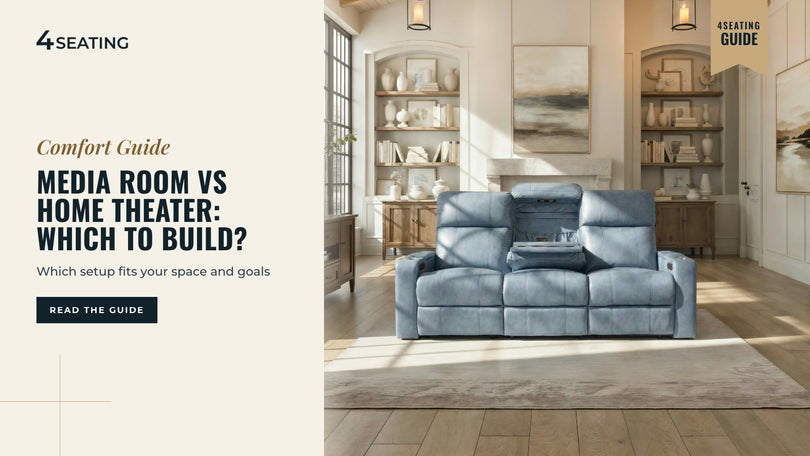
Media Room vs Home Theater: Which Should You Build?
A media room and a home theater differ most in what the room does when the movie isn't on. In one, daylight still comes through the blinds, the sofa faces a wall-mounted TV, and the kids do homework there on weekday afternoons. In the other, the lights are off before the opening scene, the seats are arranged in a row, and the room has exactly one job. That's the real difference between a media room and a home theater, and most of what you'll decide below comes down to which of those two rooms you're planning for your own house. A media room is a multipurpose space with a big screen and comfortable seating that still lets in daylight and doubles as a family room. A home theater is a dedicated, blacked-out room built only for watching, with reclining rows and heavier acoustic control. Most homes suit a media room; a full theater fits a room whose only job is movies. Does your room need to pick one, or can it land somewhere in between? The sections ahead cover how to tell the two apart and how the seating differs. That question usually starts with media room design: how light, sound and seating work together in the space you already have. Most people asking this question are furnishing the multi-use option, so start with sofas and sectionals built for a media room, then read on for how the two room types, and their seating, actually differ. What Is a Media Room? What Is a Home Theater? A media room is an everyday room upgraded with a big screen and comfortable seating that keeps its other uses. A home theater is a single-purpose room built only for watching, with tighter light and sound control. A media room is any everyday room, a family room, bonus room or basement rec room, set up around a large TV or projector screen, comfortable seating, and enough AV gear to make movie night feel like an event. It keeps its windows, its foot traffic and its other uses: game night, homework, houseguests. Seating is usually a sofa, loveseat or sectional so the room still reads as a living space, not a theater. A home theater is a single-purpose room. The goal is to control light and sound as tightly as the budget allows: blackout treatments or no windows at all, walls and ceilings planned with sound treatment, and seating arranged in rows facing one screen, sometimes on a riser so a second row can see over the first. Because the room does nothing else, it can commit fully to the viewing experience in a way a shared living space can't. Quick check: if the room hosts a birthday party or a Sunday with the in-laws, it's a media room. If its only job is the screen, you're planning a home theater. Neither term has one fixed industry definition, installers, builders and homeowners use them a little differently, but the practical dividing line is almost always how much the room gives up for the movie experience versus how much it stays part of daily life. Ask what else the room needs to do before you ask what it should look like. Media Room vs. Home Theater: At a Glance The table below lines up the two side by side so you can see where your own room already leans. Factor Media Room Dedicated Home Theater Light control Some daylight; blinds or curtains for glare Blackout treatments or no windows Seating Sofas, sectionals, loveseats, shared seating Individual reclining rows, often tiered Sound A soundbar or basic surround setup; shares walls with the house Dedicated speakers and subwoofer (the speaker for low bass), more sound treatment Multi-use Family room, game room, guest space, movie nights Movies and gaming only Typical location Living room, family room, bonus room Basement, spare bedroom, converted garage Furniture flexibility Rearranges easily for other uses Fixed layout facing the screen Neither column is "better," they're built for different households. A family that hosts a lot, has young kids, or only has one large room to spare usually leans media room. A household with a spare basement or bonus room and a strong preference for lights-off, phone-away movie nights usually leans home theater. Look at your own row in this table first. It usually points to the answer before you've measured anything. Seating: Sofas and Sectionals vs. Theater Rows Seating is where the two room types diverge the most, and it's the easiest way to tell which one you're actually planning. Media room seating favors a sofa, loveseat or sectional, one connected piece that still looks and lives like furniture. The Wilshire Home Theater Modular Chaise Sofa, an Italian leather modular sofa with ottoman options, seats a family for a movie, then works just as well for everyday lounging or guests, without looking out of place next to a bookshelf. Sectionals are built from pieces: a left-side seat, middle seats, a corner seat, then a right-side seat, so check each model's configuration options. Loveseats and paired sofa-and-loveseat sets suit a room with more than one job. Browse our Sofas & Sectionals Home theater seating favors individual reclining rows, 2- to 5-seat configurations with their own armrests and recline controls per seat. A row like the Luminis Zero Gravity Home Theater Seating with Heat & Massage, our best-selling row, adds zero gravity recline (a deep, legs-raised position named after the neutral body posture NASA documented in weightlessness), heat and massage, and a power headrest (a headrest that adjusts at the touch of a button) to that format. Rows also stack into a raised back row behind a front row for a second tier with its own sightline, which a shared sofa can't easily do. Browse our Home Theater Seating Sizing works the same way in both directions. Theater rows in the standard configuration run about 62-86" wide for 2 seats, about 90-126" for 3 seats, and about 117-164" for 4 seats, while sofa and loveseat widths vary by model. Measure your wall before choosing either format, and check the exact width on the product page. If the room needs to still look like furniture, choose a sofa or sectional; if its only job is the screen, choose a row. Hybrid Rooms: Get Both in One Space Plenty of real rooms land between the two extremes, and that's normal rather than a compromise. Many are a media room by day, daylight, a sectional, a shared TV, and convert closer to a theater at night with blackout shades and dimmed lighting. That's the most common hybrid, and it works because the furniture doesn't have to change, just the light. Another option is a two-zone layout: a sectional or media lounge sofa toward the back for casual use, with a theater row or two nearer the screen for dedicated viewing nights. Browse our Media Lounge Sofas Family rooms that already double as a TV room are frequently the starting point for this kind of hybrid. See our guide, TV Room Ideas, for layout ideas that keep a room living-room-friendly while still upgrading the seating and screen. If you're leaning further toward a fully dedicated room instead, our guide to Private Screening Room Design covers the row planning, sightlines and acoustics that come with going all-in on a single-purpose theater. A hybrid room just needs light control that can change with the time of day. How to Decide Which to Build Start with how the room needs to work outside of movie night, because that answer usually settles the rest. If it also has to be the family's living room, a playroom or a guest bedroom, a media room with flexible sofa or sectional seating is almost always the better fit, it never stops being a normal room. A spare room with no other job suits a dedicated theater instead, with reclining rows and a tiered layout. Budget and construction effort point in different directions too. A media room upgrade is usually just seating, a screen and some light control added to an existing room. A dedicated theater typically means more construction: sound treatment, blackout treatments and sometimes a riser. Screen size and seating distance matter either way, see our guide on how far a couch or row should sit from the TV first. The takeaway: let the room's other jobs decide the format, then let your budget decide how far you build it out. Where to Start: 4Seating's Top Media Room Picks Wilshire Home Theater Modular Chaise Sofa - an Italian leather modular chaise sofa with ottoman options, built to work as everyday furniture and movie-night seating in the same room. Luminis Zero Gravity Home Theater Seating with Heat & Massage - our best-selling row, with zero gravity recline, heat and massage, and a power headrest, for a room whose only job is the screen. Anthem LT HeatZero Italian Leather Home Theater Sofa - one of our top-selling sofas, an Italian leather sofa with power recline and a power headrest that still reads as living-room furniture. Diamante Movie Theater Sofa for Home Theater - a modular sofa that gives a media room a lounge-style layout instead of a straight row. If you're still torn, measure your wall length and note how much daylight the room gets, then compare those with each model's Dimensions tab. Shipping on seats and sectionals is free anywhere in the continental US, and sample swatches are available for many upholstery options. Still have a question the product page doesn't answer? Our customer help line is available during business hours at 1-800-407-8665. About this guide: 4Seating has been selling home theater seating since 1997, including the sofas and theater rows covered here.
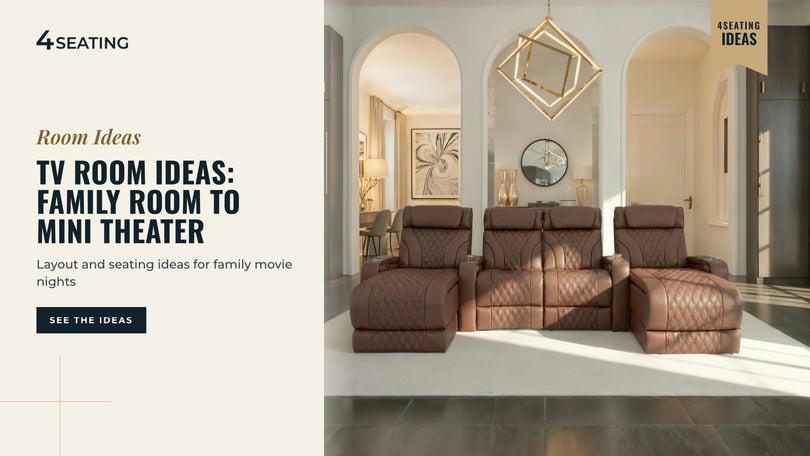
TV Room Ideas: From Family Room to Mini Theater
Your TV room is the one you use most nights: homework at one end of the couch, the game on at the other, someone's feet already up before the show starts. That's the room these TV room ideas are for, not a dedicated theater, your family room doing its real job. The best TV room ideas start with the screen, not the furniture. Set your viewing distance first, then choose seating that fits the wall and the way your household actually watches. A family room usually calls for a comfortable sofa or sectional. A dedicated space can grow into a small theater with a row of recliners and better light and sound control. Most TV rooms do double duty, homework, game nights, Sunday football, so the seating has to work harder than a single recliner ever could. That's why this guide leans on family-room-ready sofas and sectionals rather than one-off chairs: a row of connected seats keeps everyone together and still lets each person recline on their own side. Start With the Screen: Layout Before Furniture Pick your seating distance from the screen size before you shop for a couch, not after. Get that one number right and the rest of the layout mostly falls into place. A too-close sofa causes eye strain and a cramped feel. A too-far sofa wastes screen detail on a smaller TV. Our how far your couch should be from the TV guide walks through the viewing-angle math for 50- to 100-inch screens. Use it to fix your distance first, then measure backward from there to place the couch. Once the distance is set, the rest of the layout follows. Center the seating on the screen, not on the room's architecture if the two don't match, and leave a clear walkway beside the seating. A common guideline is 30 to 36 inches for main paths and at least 24 inches between furniture pieces. Keep return-air vents and door swings clear of the seating footprint too. Quick check: if your TV isn't centered on the longest wall, try angling the sectional slightly toward the screen instead of squaring it to the walls. That one adjustment solves a surprising number of awkward open-plan rooms. Seating for the Family Room: Sofas, Sectionals or a Reclining Loveseat A family TV room usually needs one connected piece that seats everyone comfortably and doesn't turn movie night into a game of musical chairs. The table below compares the main formats, with example widths from our product pages; use the exact width listed for the model you choose. Seating format Example width Best for Recline Loveseat Seatcraft Republic loveseat: 75" Couples, small dens, apartments Individual, both seats Sofa (3-seat) Seatcraft Republic sofa: 83"; Seatcraft Anthem sofa: 85" Family rooms Individual per seat Sofa + loveseat set Two pieces L-shaped layouts or front/back placement Individual per seat Reclining sectional Modular, built to the room Corner layouts, larger households, extra guests Individual per seat If your household is two people who split the couch evenly, a loveseat suits a small den or apartment. If it's a typical family room, a 3-seat sofa is the workhorse size. For a straightforward family sofa, the Seatcraft Anthem Sofa pairs Italian leather with power recline and a powered headrest, a step up from a static couch without losing the connected, sit-together feel. If your room is tight on depth, the Seatcraft Republic Sofa is a wallhugger, a seat that needs little space behind it to recline fully. Wallhugger clearance is about 3" to 6.5" across Seatcraft models, and the Republic needs 6" from the wall, so check the Dimensions and Specifications tabs on each listing before you measure your wall. Bigger or oddly shaped rooms, a corner TV wall, an open-plan family room, a finished basement, often fit better with a modular reclining sectional than a fixed-width sofa, since the pieces can be arranged around the space instead of the other way around. A sectional is built from a left-side seat, middle seats, a corner seat and a right-side seat. Browse our Reclining Sectionals Our reclining sectionals collection includes L- and U-shaped configurations, so check each model's page for its recline and upholstery options. If pets or kids share the couch regularly, ask about upholstery before you order. Performance fabric is an option for busier households, and several 4Seating models list it as their upholstery material, including the Monterey CoolZero Fabric Home Theater Room Seating, the Palisade FX Flip-Up Headrest Home Theater Seating and the Haven Lounge Home Theater Seat Chaise Sectional. Check the upholstery material on each product page and the care guidance on our materials page, and contact the team to request sample swatches. Match the format to your household first; width and recline options come after. TV Room Ideas for Glare and Light Control Daytime glare and a too-bright room at night both come down to where the light falls relative to the screen. Afternoon sun cutting straight across the screen during a weekend movie, that's the fix this section is for. Position the sofa so the screen sits perpendicular to the main window, not facing it or with the window directly behind the seating. Either angle throws glare or silhouettes the picture. Blackout or light-filtering curtains, cellular shades, or even a strategically placed bookcase can cut daytime glare without turning the room into a cave. At night, a soft LED light strip behind the TV, often called bias lighting, keeps the screen from being the only bright point in an otherwise dark room. For more ideas on layering ambient, task and accent light around a screen, see our home theater lighting ideas guide. Cable Management, Consoles and Storage A TV room collects controllers, blankets and charging cables fast, so plan storage into the seating rather than adding a separate media cabinet later. Look for sofas and sectionals with built-in storage or a center console, which keep small items out of sight without extra furniture. Some modular seating includes a console table between seats for drinks and snacks, a detail worth checking on each product page if you want a command-center feel without a separate side table. For cables themselves, route HDMI and other signal cables behind the wall or along the baseboard rather than across the walkway, and leave slack at the TV end so the screen can still tilt or swivel. A floor cable channel or a simple adhesive raceway solves most rooms that can't run cable in-wall, such as rentals or finished basements where the wall isn't open. Anything that involves running power inside a wall belongs with a licensed electrician. Upgrading From TV Room to Mini Theater Once a family room's TV nights turn into a regular habit, three upgrades do the most to make it feel like a real theater: dedicated seating, sound, and light control. Swapping the sofa for a row of reclining seats, or adding a second row behind the sofa, gives everyone their own recline and headrest instead of sharing one cushion. A platform riser (a raised platform under the back row) keeps sightlines clear over the seats in front. Blackout curtains or a dedicated door, plus the bias-lighting and glare fixes above, do most of the rest without any construction. If you're ready to go further, a projector and screen instead of a TV, sound treatment, or a full second seating row, our how to build a home theater guide walks through the build in order, from room prep to final layout. Browse our Home Theater Seating Browse home theater seating to compare rows, single-recliner starts and sofas side by side once you know how far the upgrade will go. The takeaway: start with seating, sound and light, in that order, before you add a projector or build out a dedicated room. Check the Dimensions tab on each sofa, sectional or row against your exact wall. Seats and sectionals alike ship free anywhere in the continental US, and sample swatches are available for many upholstery options. If you're still unsure, our product specialists are on the customer help line during business hours at 1-800-407-8665. About this guide: Since 1997, 4Seating has been selling home theater seating, including the sofas and sectionals covered here.