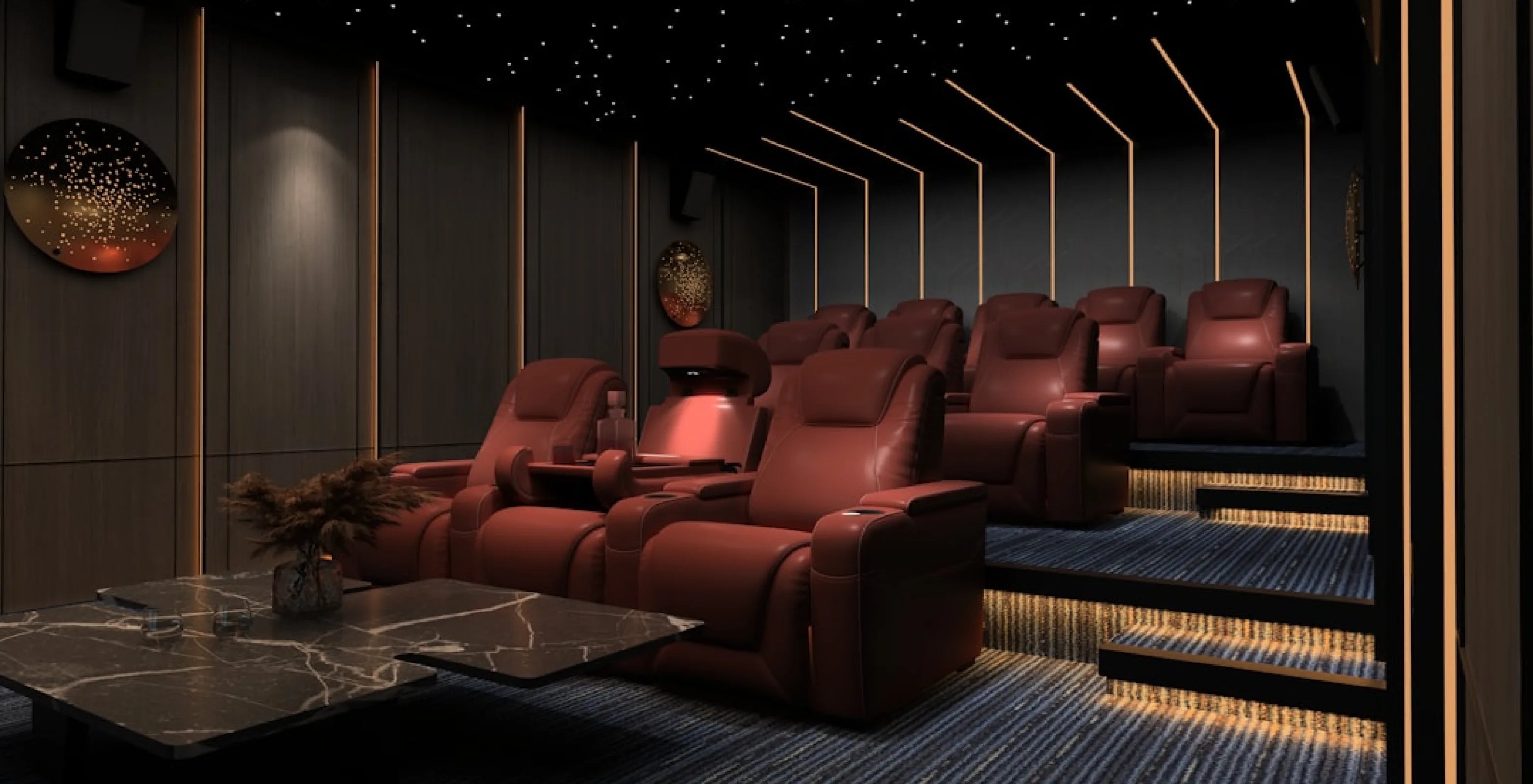
Home Theater Setup: The 2026 Guide to a Complete System
Share
Friday night, the lights go down, the movie starts, and something's off. The picture looks gray, the dialogue disappears under the explosions, and every window in the room seems to glow. Most home theater setups go wrong in the gaps between the parts, not in any single piece of gear.
A complete home theater setup has six parts: a display (a projector or a TV), a screen, sound, a movie source, light control and seating. Seating comes last in this guide, but it's where you'll spend the evening, so it's worth browsing home theater seating while you plan the gear.
Start with the checklist below, then jump to the part you're shopping for. If you're still sizing the room itself, our guide to how to build a home theater covers room planning, and this guide stays on the equipment.
The Home Theater Setup Checklist
Six decisions make up a home theater system setup. Work through them in this order.
| Part | What to decide | Where it's covered |
|---|---|---|
| Display | Projector or TV; brightness, throw distance, light source | Projector or TV, and How to Choose a Projector |
| Screen | White or gray; size; paint as a budget option | Projector Screens for a Dark Room |
| Sound | 5.1, 7.1 or Atmos; receiver or soundbar; subwoofer | Home Theater Sound System Setup |
| Movie source | Streaming, 4K discs, a download-to-own player or a media server | Movie Sources |
| Light control | Blackout curtains, dark surfaces, closing gaps | Light Control |
| Seating | Row size, viewing distance, a second row | Seating |
4Seating sells the seating, curtains, risers and acoustic panels in this guide. The projectors, receivers and soundbars in the tables are named as examples from their makers' spec sheets. They aren't 4Seating products, and the order they're listed in is by price, not preference.
Projector or TV, and How to Choose a Projector
A projector makes sense when you want a very large picture in a room you can darken. ProjectorCentral's comparison (March 2024 prices) found projection keeps a better cost per inch above 100 inches, and a projector with a motorized screen can disappear when you're not watching.
A TV is the easier path in a bright or small room. TVs run about 90 to 120 fL (foot-lamberts, a measure of how bright the picture looks on screen), so they hold up in daylight more easily than a projector does.
How to choose a projector for your room
Three numbers do most of the work: brightness, throw ratio and light-source life.
Brightness. Projector makers don't all measure brightness the same way. ANSI lumens and ISO/IEC 21118 are the defined test methods, while plain "lumens," "LED lumens" and "lamp brightness" have no industry standard, and many budget brands follow neither. ANSI and ISO figures are broadly comparable but don't convert exactly, so compare within one standard only.
How many lumens you need depends on the room. ProjectorCentral's guide gives SMPTE's dark-room target as 16 fL (with an allowed range of 12 to 22 fL) and a family-room figure of about 50 fL. The formula is lumens = fL x screen area in square feet, divided by screen gain (how much light the screen reflects back compared with a standard white surface).
A 110-inch 16:9 screen is about 35.9 square feet. At 16 fL on a gain 1.0 screen, that's about 575 lumens. At 60 fL, it's about 2,150. A darker room asks far less of the projector, and that's the point to hold on to in the next sections.
Throw ratio. This is throw distance divided by image width. A 1.2:1 projector making an image 10 feet wide sits about 12 feet from the screen, so check the projector's throw range against the distance from your screen wall to where it will mount. Ultra-short-throw (UST) models are the exception: a 120-inch image needs only about 22 inches of distance, which is why they sit on a low cabinet near the wall.
Light source and resolution. ProjectorCentral lists lamp life at about 5,000 hours (about 10,000 in eco mode, which lowers output), and LED and laser at 20,000+ hours. Laser is now the usual starting choice below 6,000 lumens. On resolution, pixel-shift models move a lower-resolution chip to reach 3840 x 2160, while native 4K models, such as the Sony and the JVC D-ILA range below, use 4K panels.
Entry tier: about $800 to $1,500
For a home theater, plan on spending $500 or more on the projector. These four current models sit at the entry end of that range. Prices are approximate, as of the time of writing (Oct 2026), and each brightness figure is on the standard shown.
| Model | Light source / chip | Resolution | Brightness | Rated light-source life | About |
|---|---|---|---|---|---|
| Epson Home Cinema 980 | Lamp, 3LCD | 1080p | 4,000 ISO (white) | Up to 6,000 h, or 12,000 h in ECO | $799 to $850 |
| Optoma UHD38x | Lamp, DLP | 4K UHD | 4,000 ANSI (per ProjectorCentral) | Up to 4,000 h (Bright) or 15,000 h (Dynamic) | $1,132 |
| Hisense M2 Pro | RGB triple laser, DLP | 4K UHD | 1,300 ANSI | 25,000 h | $1,147 to $1,300 |
| Epson Home Cinema 2350 | Lamp, 3LCD | 4K PRO-UHD (pixel-shift) | 2,800 ISO (white) | Up to about 4,500 h, or 7,500 h in low mode | $1,449 to $1,500 |
Within ISO, the Home Cinema 980 is brighter than the Home Cinema 2350 per their spec sheets (4,000 vs 2,800 ISO lumens). Within ANSI, the UHD38x is brighter than the M2 Pro (4,000 vs 1,300 ANSI lumens). The M2 Pro's strength is its 25,000-hour rated laser life, the Home Cinema 980's is its price, and the UHD38x and Home Cinema 2350 both bring 4K.
The main shortlist: about $1,400 to $7,000
If you're already investing substantially in the room, consider a strong projector too. Seating is where the comfort is, and sound makes a huge difference, so a projector is one piece of a balanced budget. On the projector side, you can get away with a less expensive model if the room is fully pitch black, since a darker room needs fewer lumens (see the formula above).
These six are grouped by brightness standard, because ISO and ANSI figures shouldn't be compared with each other. Prices are approximate, as of the time of writing (Oct 2026).
Rated in ISO lumens
| Model | Light source / chip | Brightness | About |
|---|---|---|---|
| XGIMI HORIZON 20 | Laser, 4K DLP | 3,200 ISO | $1,399 |
| Epson LS7500 | Laser phosphor, 4K pixel-shift | 3,500 ISO | $2,700 |
| XGIMI TITAN | Dual laser, 4K DLP | 5,000 ISO | $3,999 |
Rated in ANSI lumens
| Model | Light source / chip | Brightness | About |
|---|---|---|---|
| BenQ TK710 | Laser phosphor, 4K pixel-shift | 3,200 ANSI | $1,999 |
| Sony VPL-XW5100ES | Laser, native 4K SXRD | 2,200 ANSI | $6,998 |
| JVC DLA-NZ500 | Laser, 4K D-ILA | 2,000 ANSI | $6,999 |
Per their spec sheets, the TITAN is brighter than the LS7500 (5,000 vs 3,500 ISO lumens), and the LS7500 is brighter than the HORIZON 20 (3,500 vs 3,200). In the ANSI group, the TK710 is brighter than the Sony (3,200 vs 2,200 ANSI lumens). The Sony's strength is its native 4K panels, and all six use laser light sources, a type ProjectorCentral lists at 20,000+ hours.
Buying a used projector
The second-hand market isn't a bad place to look, as long as you check the hours first. Open the projector's menu and look under "Info" or "Information" for lamp or light-source hours. On some models the figure is only in a service menu, so ask the seller to show you.
Lamp life is rated as the hours until a lamp reaches half its original brightness, and those ratings are averages. Lamps also lose about 25% of their brightness in the first 500 hours, then decline more gradually, so a used lamp projector will look dimmer than its spec sheet. Replacement lamp costs vary widely: one maker lists a lamp at $76, while a reviewer says $299 to $399 is typical for home theater models.
Projector Screens for a Dark Room: White vs Gray
In a dark room, the choice usually comes down to white or gray. Gain is the main spec to read: matte white is the baseline at about 1.0, high-contrast whites run about 1.1 to 1.5, and gray screens are typically 0.7 to 1.1.
Higher gain adds brightness at the center of the screen but narrows the viewing cone, and gains above about 1.5 are normally not viable for home theater setups. ProjectorCentral's buyer's guide describes gray as able to improve perceived black level and contrast in dark or moderately lit rooms, at some cost to brightness.
Do you need an ALR screen? ALR (ambient light rejecting) screens work by reflecting the projector's light toward your seats and redirecting light from other directions. They only help when room light and projector light come from different directions. In a fully dark room, tested ALR screens showed no noticeable difference, so a dark theater gets little from one. If your room is also a living room, see our living room home theater guide for how ALR screens work with brighter rooms.
Size and viewing angle
A common guideline is to size the screen by the angle it fills in your view. SMPTE suggests about 30 degrees and THX about 36 degrees, with 30 to 40 degrees generally ideal. At 15 feet, SMPTE gives about a 110-inch diagonal and THX about 134 inches, and the most popular sizes are 100, 110 and 120 inches.
16:9 matches TV and streaming. A 2.4:1 screen suits scope films, but 16:9 content shows with bars at the sides. Our guide to how far your couch should be from the TV turns the angles into distances. A fixed-frame screen is the flattest option, and motorized in-ceiling screens hide away, with examples starting around $1,000 for matte white.
Projector screen paint
Paint is the budget route: a coating rolled or sprayed onto a wall so the wall works as a screen. It comes in white, gray (lower brightness, can help black level) and ALR (which works only when room light comes from a different direction than the projector). Dedicated projection-paint kits run about $100 to $160.
Source the right paint. Ordinary wall paint isn't the same thing: in ProjectorCentral's test, a gray wall-paint color measured about 27% dimmer than a reference screen and reduced color saturation. Match the paint type to your room and projector, the same way you'd match an ALR screen.
Prep matters, because any flaw left on the wall can show up in the image. Sand, fill and prime first, use a roller nap of 1/4 inch or less, and paint the border dark and matte. In that same test, satin finishes gave the strongest results: flat looked dull and semi-gloss produced hotspots. A real screen surface is smoother than a painted wall.
Home Theater Sound System Setup
What 5.1, 7.1 and Atmos mean
In Dolby's naming, the first number counts the ear-level speakers, ".1" counts subwoofers, and the last number counts overhead speakers. So 5.1 is five ear-level speakers and one sub, 7.1 adds two more ear-level speakers (rear surrounds), and 7.1.4 adds four overhead speakers. A 7.2.4 layout has two subs.
Dolby's 7.1.4 placement guide gives angles you can measure from your main seat:
- center: 0 degrees
- front left and right: 22 to 30 degrees
- side surrounds: 90 to 110 degrees
- rear surrounds: 135 to 150 degrees
- overheads: 30 to 55 degrees elevation, with 45 as the reference
Dolby also says ear-level speakers belong at ear height, and that all-ceiling installs "will not give the optimal experience." Atmos-enabled upfiring speakers are the alternative where ceiling speakers aren't possible, such as rentals or concrete ceilings.
You may see an "83% rule" for speaker spacing. It's a stereo starting point from audio consultant Jim Smith, not a home theater standard, and Dolby uses angles instead.
Receiver or soundbar
A receiver is the hub of a surround system. It decodes Dolby Atmos and DTS:X, switches your HDMI sources, powers passive speakers and sends a line-level signal to a powered subwoofer. A soundbar puts processing, amplification and speakers in one bar, with wireless subs and rear speakers included on some systems and optional on others.
A receiver build is more expandable, because you can add speakers and upgrade one piece at a time. A soundbar is simpler to set up and easier to hide.
When you compare receivers, amplified channels (how many speakers the unit can power) aren't the same as processing channels (how many it can decode). A receiver with 9 amplified channels powers a 5.1.4 or 7.1.2 layout without an external amp, since each uses 9 speakers plus a sub.
Power below is as each maker states it: watts per channel at 8 ohms, 20Hz to 20kHz, 2 channels driven. Prices are US list, as of the time of writing (Oct 2026). All six list eARC and Dolby Atmos and DTS:X support.
| Model | Amplified / processing channels | Rated power | HDMI in | Room correction | Sub outs | About |
|---|---|---|---|---|---|---|
| Denon AVR-S770H | 7 / 7.2 | 75 W, 0.08% THD | 6 (3 are 8K) | Audyssey MultEQ | 2 | $749 |
| Denon AVR-X1800H | 7 / 7.2 | 80 W, 0.08% THD | 6 (3 are 8K) | Audyssey MultEQ XT, mic included | 2 | $849 |
| Denon AVR-X2900H | 7 / 7.2 | 95 W, 0.08% THD | 6 (3 are 8K) | Audyssey; Dirac Live optional | 2 | $1,349 |
| Marantz Cinema 70s Series 2 | 7 / 7.2 | 50 W, 0.08% THD | 6 (3 are 8K) | Audyssey MultEQ XT; Dirac Live optional | 2 | $1,500 |
| Denon AVR-X3900H | 9 / 11.4 | 105 W, 0.08% THD | 6 (all 8K) | Audyssey; Dirac Live ready | 4 independent | $1,849 |
| Marantz Cinema 50 Series 2 | 9 / 11.4 | 110 W, 0.08% THD | 6 (all 8K) | Audyssey MultEQ XT32; Dirac Live optional | 4 independent | $3,000 |
Per the makers' spec sheets, the Cinema 50 Series 2 is rated at more power per channel than the X3900H (110 vs 105 W). The X3900H and Cinema 50 Series 2 each offer 9 amplified channels, and their "4 independent" sub outputs mean each output has its own level and distance settings.
For soundbar systems, here are four with the details their makers list.
| System | Channels as stated | Atmos | HDMI | Sub and rears | Room tuning | About |
|---|---|---|---|---|---|---|
| Sonos Arc Ultra | 9.1.4 | Yes | eARC | Optional Wi-Fi Sub and rear speakers; bundle with Sub: $1,898 | Trueplay | $1,099 |
| Samsung HW-Q990H | 11.1.4, 23 speakers | Yes | 2 HDMI in, eARC out, 4K120 passthrough | Wireless sub and rears included | SpaceFit Sound Pro | $1,999.99 |
| Nakamichi Shockwafe Wireless | 11.2.6, 31 drivers | Yes, plus DTS:X | 2 HDMI 2.1 in, eARC out, 4K120/8K60 passthrough | 2 wireless subs and 2 wireless surrounds included | Presets and app | $2,499.99 |
| Bose Smart Ultra Soundbar | 9 speakers, 2 upfiring | Yes | eARC | Optional Bass Module 700 ($699), up to 2 | ADAPTiQ | $999 |
The Samsung and Nakamichi systems include their wireless subs and rear speakers in the box, while the Sonos and Bose list a subwoofer as an optional add-on. Channel counts are as each maker states them.
Subwoofer placement and the first reflections
A common guideline for placing a subwoofer is the "crawl": put the sub at your main seat, play a low bass sweep, crawl around the room to find where it sounds smoothest, then put the sub there. One sub optimizes one seat, so check the spot from the others.
For first reflections, sit in your main seat while a helper slides a mirror along the side wall. Where you can see a speaker in the mirror is the reflection point to treat. Our acoustic panel placement guide walks through the next step, and the acoustical wall panels collection has the panels.
Movie Sources: Streaming, Discs, Kaleidescape and Your Own Media Server
Your display is only as good as what you feed it. Here are the common sources.
Streaming. Netflix recommends at least 15 Mbps of internet speed for 4K.
4K UHD Blu-ray. Discs carry lossless audio (Dolby TrueHD and DTS-HD Master Audio), which streaming services generally don't offer. The player market is thinning: per a December 2024 industry report, Samsung stopped making UHD players in 2019 and LG has exited, while Panasonic, Sony and Magnetar remain.
Kaleidescape Strato V. This is a movie player you download films to, buying them from Kaleidescape's own store. It has a built-in 960 GB SSD, Dolby Vision and lossless audio, at about $3,995 MSRP.
Your own media server. Plex, Jellyfin and Emby organize movie files you already have on a home server and stream them to TVs and players. A small mini PC or a NAS (network storage box) is the usual hardware, and playback devices vary in their support for lossless audio passthrough, so check a device's specs before you buy. Jellyfin is free and open source.
Plex changed its pricing on April 29, 2025. Plex Pass is $6.99 a month, $69.99 a year or $249.99 lifetime. Streaming your own media outside your home needs Plex Pass or a $1.99-a-month Remote Watch Pass, and streaming within your home network stays free.
Over-the-air DVR. The Tablo 4th Gen comes with 2 or 4 tuners, and its site says there are no subscriptions or monthly fees. HDHomeRun is a network tuner, usually paired with Channels DVR or Plex DVR software. Major broadcasters encrypt ATSC 3.0 (NextGen TV) signals, and support for encrypted channels varies by tuner, so check before you buy.
A note on copying discs. This isn't legal advice. US law (17 U.S.C. §1201) prohibits circumventing the copy protection on DVDs and Blu-rays. The Copyright Office's exemptions (37 CFR 201.40) are narrow, such as short clips for criticism, education, accessibility and preservation, and they don't cover making personal copies of discs you own. We give no copying guidance here, and media servers are for files you have the rights to.
Light Control: Why Blackout Matters With a Projector
A projector can't project black. It can only leave the screen unlit, so any light that reaches the screen lifts black to gray and flattens contrast. ProjectorCentral puts it this way: the room's contrast sets the black level you'll get, and even the LEDs on equipment front panels can splash light onto the screen.
The measured numbers show how much. In ProjectorCentral's 2015 test of a white screen, contrast measured 86:1 in a dark room and 20:1 with a side window open. That gap is why a fully dark theater can get away with a more modest projector.
Dark, matte surfaces help too. Light-colored walls and ceilings near the screen bounce the image's own light back and raise the black level, and the ceiling and side walls nearest the screen matter most. Our home theater lighting ideas guide covers the lighting side.
Blackout vs room-darkening
There's no formal standard, but retailers commonly call fabric that blocks 99 to 100% of light "blackout," about 95 to 99% "room darkening," and anything less "light filtering." The rating describes the fabric, not the installed result, because light leaks around the edges.
To close the gaps:
- extend the rod about 3 to 10 inches past each side of the window frame
- use a wraparound or "French return" rod so the curtain turns back to the wall
- mount the rod close to the ceiling
- overlap the center panels 2 to 4 inches
Where to buy blackout curtains
You can find them at several kinds of stores: home-goods and department stores, home-improvement stores, window-treatment specialists, and custom drapery workrooms that can make drapes to size with a blackout lining.
Check them in person if you can. A "blackout" label isn't a guarantee, so hold the fabric up to a bright light and see whether any comes through.
Where 4Seating's curtains fit
SoundRight surround and open/close curtains frame or cover the screen. They're velvet, in red, blue or black with black or gold tassels, and they aren't sold as blackout curtains. For a curtain color beyond these, call 1-800-407-8665 and it can be made on request. For a motorized track, the SoundRight Electric Curtain Rod System runs on a remote, and the curtain fabric isn't included, so you'd bring your own.
- Browse our Home Theater Curtains
Seating: The Part You'll Touch Every Movie Night
Most home theater seats are bought as rows, and a row of 3 runs about 90 to 126 inches wide, depending on the model. Measure your wall before you shop.
For the room-planning side, including row count, risers and budget, see how to build a home theater. For picking a style that fits your space, see which home theater seating fits your space and style. If you're planning a second row, BACKROW seating builds the extra height into the seat base.
- Browse our Seatcraft Home Theater Seats
- Browse our Best Sellers
Where to Start: 4Seating's Seating Picks for a Dark-Room Theater
- Diamante Italian Leather Zero Gravity Home Theater Seating - zero gravity power recline, a power headrest that tilts so the screen stays in view, and 7-color LED cupholders and baselights that glow softly once the lights go down.
- Luminis Zero Gravity Home Theater Seating with Heat & Massage - heat and massage, a power headrest and power lumbar (an adjustable lower backrest cushion), with USB-A and USB-C in each LED cupholder.
- Sienna Italian Leather Spacesaver Home Theater Seating - power recline that needs only 3" from the wall, for a room where every inch counts.
- SoundRight Risers - 7" and 14" heights, for lifting a second row.
Every seat ships free throughout the contiguous US. Sample swatches are available for many upholstery options. Questions left after all that? Our customer help line can help during business hours at 1-800-407-8665.
About this guide: Since 1997, 4Seating has been selling home theater seating, including the theater seats covered here.