




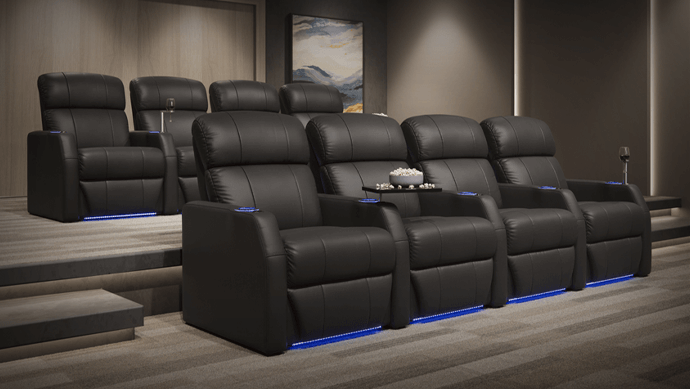
Imagine this: You've just spent months, and thousands of dollars, outfitting your dream entertainment room. You've bought a great 4K projector, high-end tower speakers, and subwoofers that rattle the walls. But when everyone sits down for family movie night, the experience feels underwhelming. You find yourself shifting on an old, lumpy couch, craning your neck to see the screen, while the dialogue sounds strangely muffled.
This happens all the time. Homeowners pour the vast majority of their budget into high-end AV equipment, but completely neglect their home theater seating setup.
The reality is your seating acts as the absolute centerpiece of the room. It dictates where your eyes rest, how your body feels during a long movie, and how sound waves hit your ears. A poorly planned media room seating layout can drag down the performance of even the most expensive technology. If you are looking for a practical home theater room setup guide, you have to start with where you sit.
As experts in home theater furniture, we've seen every mistake in the book. Whether you are building a new room or upgrading a current space, mastering how to set up home theater seating is crucial. Here are six common home theater seating mistakes most people overlook, and our expert home theater design tips on how to fix them.
Choosing the Wrong Screen Size
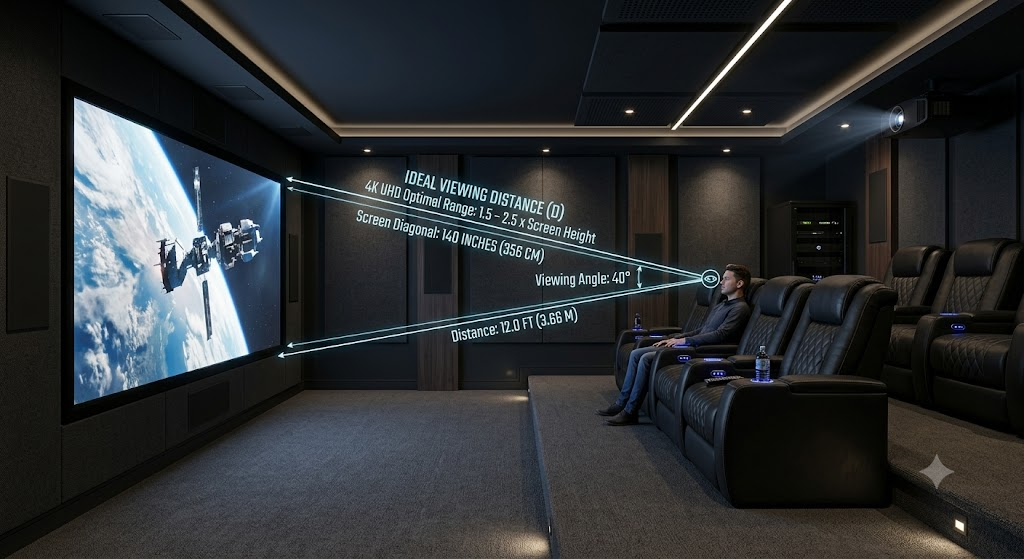 The Problem: Many buyers assume bigger is always better. They rush out and buy the largest screen that physically fits on the wall, completely ignoring the room's depth. On the flip side, some homeowners place a standard TV way too far from their primary seating row.
The Consequence: If your projector screen is too close to the first row, you get visual fatigue. Your eyes and neck will constantly dart around to follow the action, just like sitting in the very front row of a public cinema. If the screen is too far away, you lose that immersive effect that makes a home theater special.
The Fix: You need to mathematically map your screen size viewing distance to your seating placement before buying a display. The general rule for home theater design is the 1.5x to 2.5x diagonal viewing distance rule.
For example, if you are buying a 100-inch projector screen, multiply 100 by 1.5 and 2.5. Your seating should go exactly between 150 inches (12.5 feet) and 250 inches (20.8 feet) from the screen. Since modern 4K and 8K resolutions pack in so many pixels, you can sit comfortably on the closer end (around 1.5x) for maximum immersion without losing clarity.
Always finalize your screen size after you know where your seats will go. Doing this keeps your theater seating arrangement proportional to your actual field of view.
Poor Lighting Control
 The Problem: Treating the space just like a regular living room. Many people forget about windows, use glossy wall paint, or buy shiny, bright-colored furniture.
The Consequence: Ambient light kills screen contrast and color accuracy. Even a tiny bit of light bleeding through window blinds or bouncing off a white wall washes out the deep blacks on your screen. A bad home theater screen glare issue instantly ruins the visual quality of an expensive HDR projector or OLED TV.
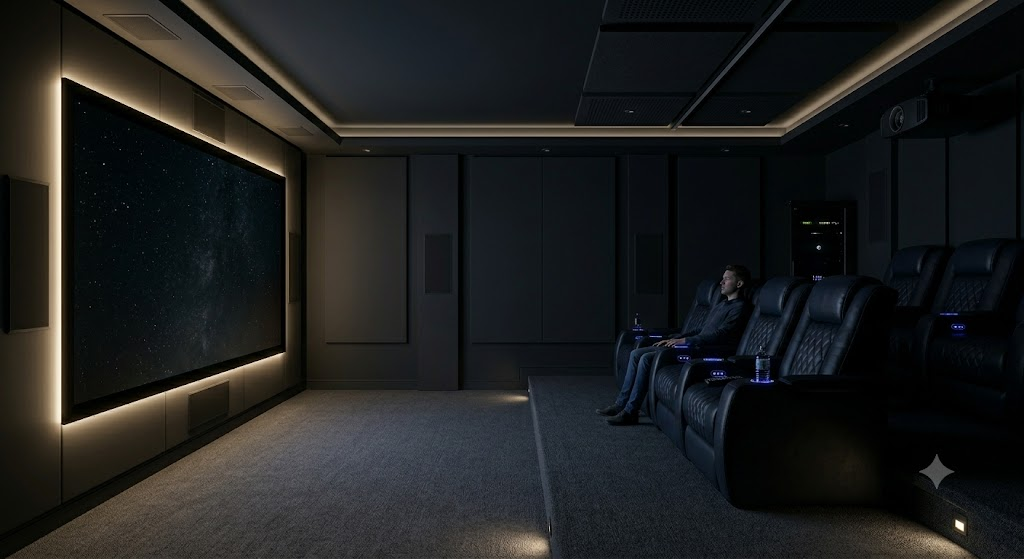
The Fix: You need to control your home theater room lighting effectively. Install blackout curtains or shades over the windows first. Then, paint the walls and ceiling in dark, flat finishes to stop light from bouncing around the room.
Don't forget that your furniture takes up a lot of visual space. Your home theater seating colors actively affect light management. Choosing dark, light-absorbing seating materials (like matte black, deep charcoal, or navy blue leather) prevents screen light from reflecting off the seats into your eyes. Adding bias lighting (a soft LED strip mounted directly behind the display) is another smart trick to boost perceived contrast and limit eye strain.
Choosing the Wrong Seats
 The Problem: Reusing a worn-out living room couch, picking up standard stationary sofas, or buying flimsy budget theater chairs that won't hold up over time.
The Consequence: Sitting through a 3-hour movie on a couch with no lower back support usually ends in a stiff neck, back pain, and constant fidgeting. Standard sofas lack the basic home theater recliner features you need for long-duration comfort. They don't support your neck when you lean back, offer zero lumbar adjustment, and don't give you a secure place to hold a drink or charge your phone.
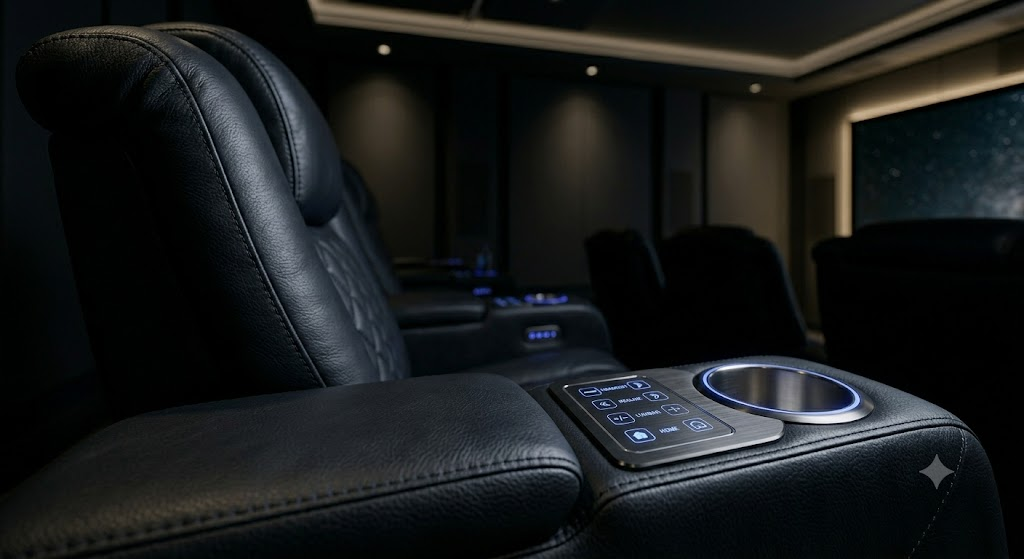
The Fix: Buy furniture made specifically for media rooms. A dedicated home cinema recliner sofa from established brands like Seatcraft or Palliser is built to handle extended viewing comfortably. These are easily the best home theater seats for long movies.
When comparing options, prioritize ergonomics. A power recliner home theater seat is essential so you can lock in your exact resting angle. An adjustable headrest recliner is also critical; when you recline backward, you naturally look at the ceiling. A powered headrest pushes your neck forward, keeping your eyes on the screen without straining your muscles.
- Upgrade comfort: Look for ergonomic home theater seating that includes powered headrest theater seats.
- Enhance your health: Try zero-gravity recliner seats. They raise your legs above your heart, reducing lower back pressure and helping your circulation during long movie marathons.
- Add luxury features: You can find heat and massage theater seats, USB charging theater seats, and SoundShaker transducers that let you actually feel the bass from explosions and action scenes.
Suboptimal Layout and Placement
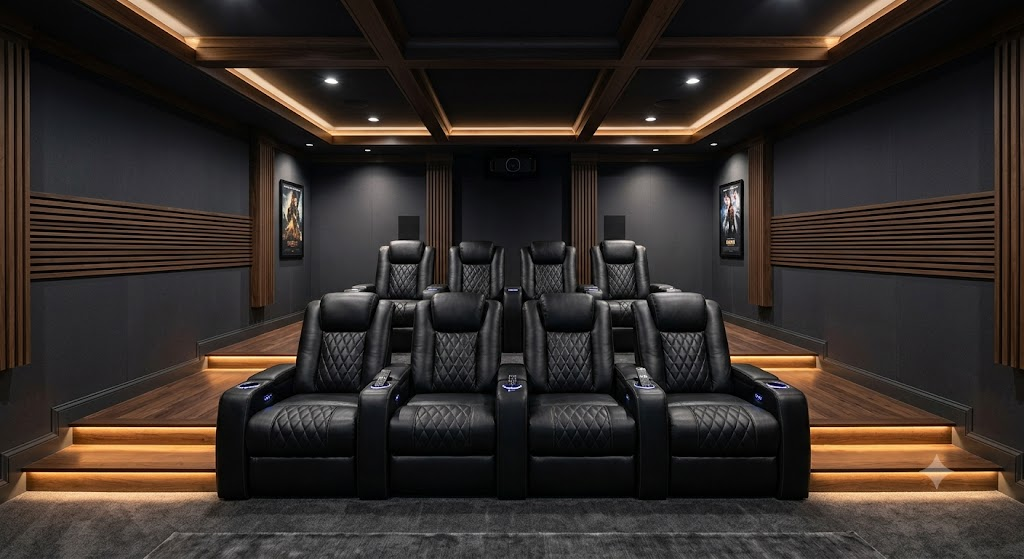 The Problem: Mounting the screen way too high on the wall, shoving seating rows tight against side walls, or setting up multiple rows on a flat floor.
The Consequence: If your screen sits high up like a sports bar TV, your neck will hurt from looking up all night. Pushing seats against side walls messes up your surround sound. And if you run multiple rows on a flat floor, anyone sitting behind the first row will just stare at the backs of people's heads.
The Fix: The best home theater seating arrangement requires a bit of math. First, check your eye-level screen placement. When sitting reclined in the primary viewing spot, your eyes should point straight at the middle (or slightly below the middle) of the screen.
Second, if you're trying to figure out how to choose home theater seating arrangement layouts for a larger room, seating row elevation is a must. Tiered home theater seating gives you that genuine cinema feel. You have to elevate the back rows for clear sightlines. You can build custom wooden riser platforms (usually 8 to 12 inches high) or buy seating with riser bases built into the frames.
If low ceilings stop you from building a tiered setup, try offsetting the seats. Position the back row so viewers look between the gaps of the front row seats, or put high-top bar stools directly behind the main recliners.
Neglecting Room Acoustics
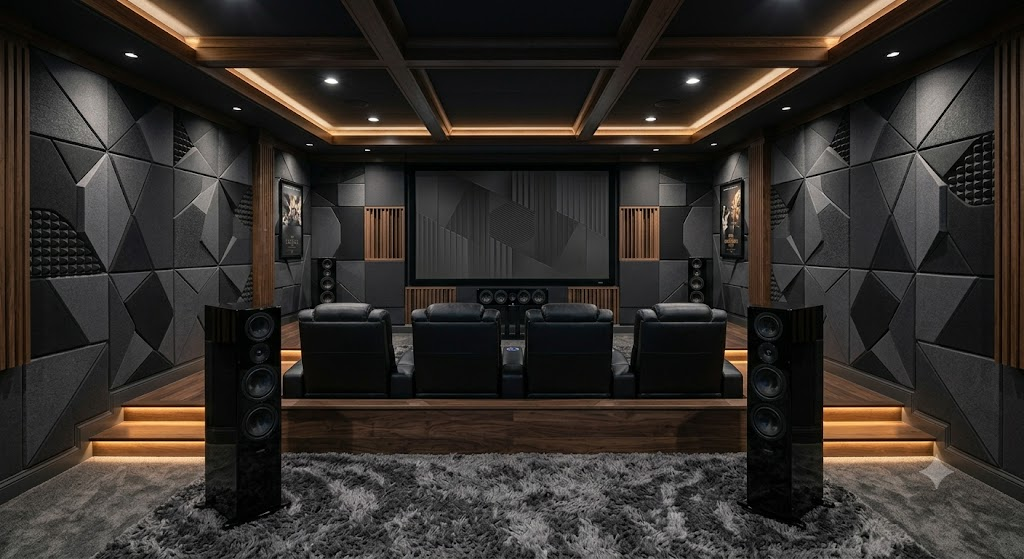 The Problem: Hiding big speakers inside wooden cabinets, shoving your main row of seats flush against the back wall, and leaving bare drywall everywhere.
The Consequence: Sound is just vibrating air. When you stick a speaker inside an enclosed cabinet, the low-frequency waves bounce aggressively inside the box before getting out. This creates a muffled, boomy noise. If your chairs are pushed right up against a bare back wall, audio waves from the front speakers hit the wall right behind your head and bounce right back, creating a harsh echo that ruins dialogue clarity.
The Fix: Better home theater sound quality requires giving your speakers and ears some breathing room. Pull your main row of seats a few feet away from the back wall. This lets the rear surround sound channels actually work behind you. Bring your front speakers out into the open so the audio travels straight to you.
Finally, treat the room. Acoustic panels home theater additions help tremendously. Put sound-absorbing panels at the "first reflection points", the spots on the side walls where sound bounces off on its way from the speaker to your ear. Throw down a thick rug if you have hard floors to soak up extra sound reflections.
Skipping Equipment Calibration
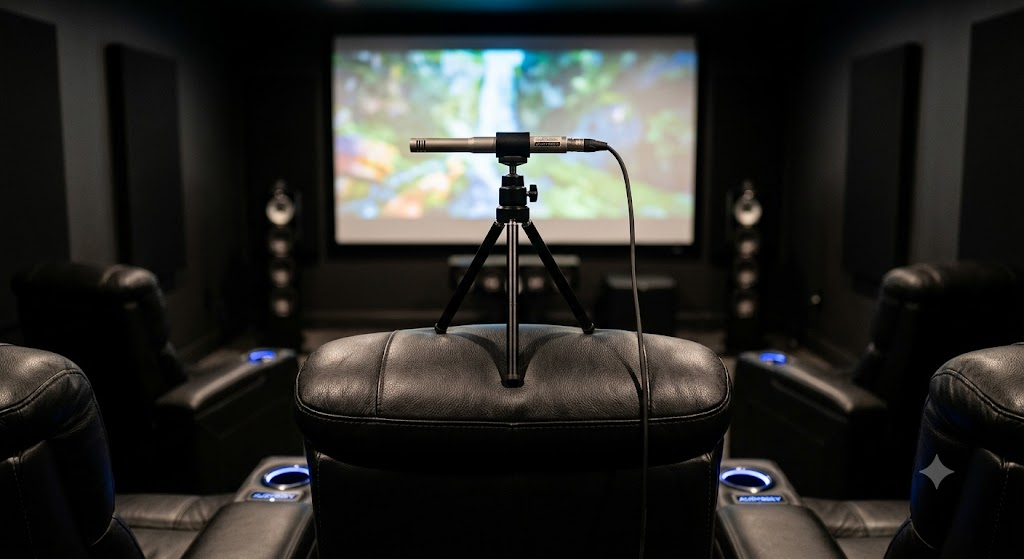 The Problem: Wiring everything up, leaving the AV receiver and TV on their factory defaults, and calling it a day.
The Consequence: Factory settings are meant to look good under bright showroom lights, not in a dark room. Without calibration, the system ignores your room dimensions and furniture setup. Bass might rattle the walls awkwardly, rear speakers might be impossible to hear, and the screen might be so bright it hurts your eyes.
The Fix: Run your AV receiver's built-in room correction software. Put the included microphone on a tripod exactly at ear level in your primary viewing seat, then run the test. The receiver will adjust the timing and volume of every speaker so the audio hits your ears at the right moment.
For video, turn down the brightness and contrast based on your room's lighting. A professional ISF calibration is great, but even just using standard calibration discs or filmmaker modes makes a huge difference. Dialing in these settings makes your system sound and look the way the director intended.
Quick Fix Home Theater Setup Checklist
Run through these basic steps before starting your next movie:
- Distance Check: Keep your main row between 1.5x and 2.5x the diagonal size of the screen.
- Lighting: Block out windows, paint walls a dark matte color, and stick to dark seat materials.
- Seating Support: Buy chairs that actually support your body, specifically ones with power recline and adjustable headrests.
- Screen Height: Your eyes should naturally hit the middle of the screen when seated.
- Row Heights: Add a riser platform for the second or third row so everyone can see.
- Speaker Placement: Get speakers out of tight cabinets and move your seating slightly off the back wall.
- Run Calibration: Use your receiver's mic to set the audio levels right at the main listening position.
Frequently Asked Questions (FAQs)
How far should theater seats be from the screen?
For high-definition setups, follow the 1.5x to 2.5x rule. Measure the diagonal size of your screen, then multiply it by 1.5 for the minimum viewing distance, and 2.5 for the maximum. For example, an 80-inch screen is best viewed from 120 inches (10 feet) to 200 inches (16.6 feet) away.
What features should I look for in home theater seating?
Comfort matters most during long movies. You want power recline so you can adjust your angle, powered headrests so you don't hurt your neck looking at the screen, and lumbar support for your back. Add-ons like USB ports and tray tables make snacking and charging phones much easier.
How many rows in a home theater room should I have?
This comes down to room dimensions and how many people normally watch with you. A standard 15-foot by 20-foot room comfortably handles two rows of three or four seats. Always prioritize the comfort of the main row rather than cramming a third row too close to the screen.
Do I need tiered seating for a home theater?
If you have multiple rows, yes, you definitely need elevation. Without a riser platform (usually 8 to 12 inches tall), the second row's view will be completely blocked by the people sitting in front.
How to choose home theater seating arrangement layouts for small spaces?
If ceiling height stops you from building a riser, get creative with your layout. Offset your back row seats so viewers look between the front row gaps, or set up a narrow bar counter with high-top stools directly behind your main recliners to save floor space while maintaining sightlines.
What is the best home theater seating arrangement for a multi-use media room?
If your space doubles as a family room, you need layout flexibility rather than a rigid, tiered setup. We recommend placing a straight or curved home cinema recliner sofa in the primary acoustic "sweet spot" for optimal viewing. You can then add a narrow bar counter with high-top stools directly behind the couch, keeping the floor plan open for everyday socializing while maintaining clear sightlines for movie nights.
Can I use standard living room recliners instead of dedicated home theater seats?
While it might seem like an easy way to save money, standard furniture is rarely built for marathon viewing sessions in a darkened environment. Everyday recliners lack crucial home theater features like powered adjustable headrests, which are absolutely necessary to keep your eyes locked on the screen without straining your neck when leaning back. Purpose-built ergonomic home theater seating also includes heavy-duty framing, space-saving wall-hugger designs, and lighted cup holders that standard sofas simply don't offer.
Setting the Seat for the Perfect Movie Night
Your home theater is honestly only as good as the seat you sit in. You can buy the best projector on the market, but if your back aches and your neck is stiff, you won't enjoy the film. By properly planning your screen distance, fixing the room's lighting, tweaking your speaker placement, and buying proper furniture, you can turn a basic media room into a private cinema.
Don't let an old couch ruin a great movie. If you want to get your setup right from the start, browse all home theater seating to find options that mix comfort, support, and great design.