How to Build a Home Theater: Step-by-Step Planning Guide (Room, Screen, Seats, Sound)
Share
Your starting point might be an empty spare bedroom, a finished basement, or a living room that already doubles as movie night headquarters. Here's how to turn it into a home theater, in the order that actually gets you there.
How to build a home theater comes down to seven decisions: the room, the screen, the seating layout, a second row, sound, light control and budget. Work through them in that order, since each one is sized off the one before it. Once you know your wall width, you can start browsing home theater seating, that's step three below.
Most of the work here is planning, not construction, which is why a DIY home theater is realistic for most people without a contractor. If you're furnishing a room you already have rather than framing a new one, you can go from empty room to movie night in a weekend once the seating and screen arrive. Whether you call it building a home theater or just finally finishing the basement, this guide walks through all seven steps, with a link to a deeper guide for each.
1. Pick the Room for Your Home Theater
A dedicated room lets you control light and sound completely. A media room shares space with everyday living, so the seating and screen need to look right with the lights on, not just off. Basements make strong theaters because they're already dark, but confirm ceiling height, moisture and outlets before you commit.
Quick check: stand in the room at midday with the lights off. If it's still bright, you're planning a media room, not a blackout theater, and that changes what seating and screen will look right in it.
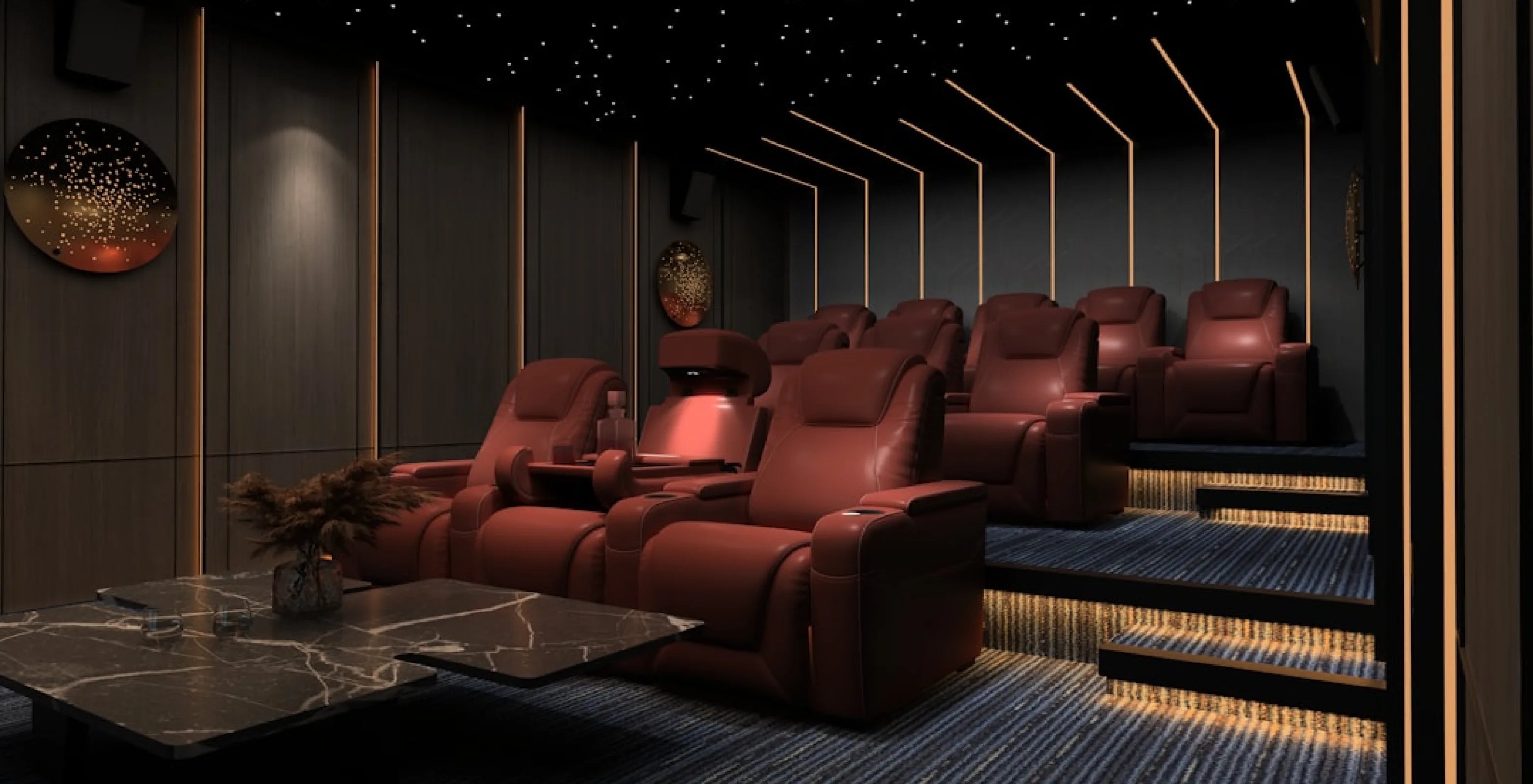
A spare bedroom, a finished basement or a bonus room can all become a true dedicated theater: blacked-out windows, a single-purpose screen wall, and seating rows aimed straight at it. A media room instead shares duty with a living space, so a sofa or sectional usually fits better than straight rows, since it has to read as furniture with the lights on too.
Basements solve the light-control problem for free, since most have no or few windows. They bring their own checklist, though: confirm the ceiling height clears your tallest riser plan, check for moisture before any flooring or upholstery goes in, and plan outlets for the row and your AV gear. Power recline models plug into a standard 110v wall outlet and each seat may need its own, while manual models don't plug in, so ask a licensed electrician to add outlets if the room needs them. Our guide to basement home theater ideas covers low ceilings, moisture and layout in more depth. If the room includes a wet bar or lounge area, see basement bar ideas for pairing a back row with a bar area in front of it.
Room size matters more than most people expect: the width sets your row count and seat count, and the length, from screen to back wall, sets how many rows fit before the back row sits too close to recline. Measure the room before you shop for a screen or a seat count.
2. Size the Screen to Your Viewing Distance
Pick the screen size based on how far the front row will actually sit from it, not the other way around. A common guideline is a screen that fills about 30 degrees of your horizontal field of view, which SMPTE (the film and TV engineering society) describes as a minimum, while THX guidance is usually cited at roughly 36 to 40 degrees. Sit closer for more immersion, farther back if the room also handles everyday TV.
Quick check: tape-measure from where the front row will sit to the wall where the screen goes. That distance is the number to carry into the screen-size math, so measure it before you shop.
That distance-to-size relationship also helps you choose between a large flat-screen TV and a projector and screen. A TV suits small and medium rooms where the front row sits fairly close. A projector and a fixed or motorized screen make more sense once you want a very large image, or the room is long enough to put real distance between the front row and the screen. Projected images also look best with the lights off, which is easier in a dedicated theater than a shared media room.
Once you know the screen size, you can size the row behind it: the front row should sit far enough back that no one tilts their head to see the top of the picture, and a second row, if you're planning one, needs enough extra distance and height to clear the row in front. We cover the distance-to-screen-size math, plus a chart to size your specific room, in how far your couch should be from the TV.
3. Choose and Measure Your Seating Row
Home theater seating is sold and planned in rows, not single chairs, because that's how most theaters actually get used. Measure the wall your row will sit against, then match it to a row width so you know how many seats fit before you shop for models, features or upholstery.
| Row size | Row width (standard configuration) | Best for |
|---|---|---|
| 2 seats | about 62 to 86" | Couples, dens, smaller media rooms |
| 3 seats | about 90 to 126" | Family theaters |
| 4 seats | about 117 to 164" | Dedicated theaters, basement builds |
| 5 seats | about 145 to 178" | Large dedicated theaters |
Quick check: measure your wall in inches, then find the matching row in the table above. That tells you your likely seat count before you look at a single product page. Widths vary by model, so check the exact width of the configuration you choose on its product page: the Sienna Spacesaver row of 3 is 90", for example, while the Solis with straight console is 126".
Most rows also come as loveseat or sofa configurations if you'd rather not have a center console between two seats. If your wall is tight, wallhugger models (seats that recline with little space behind them) need about 3" to 6.5" of clearance across Seatcraft models. Check the model's Specifications tab: the Sienna needs 3" and the Pantheon 6.5".
Need one more seat than a straight row gives you? Start a row, then add a single recliner to fill a corner, or plan a reading chair off to the side rather than building an odd-numbered row from scratch.
Two more things are worth checking before you order: seat depth and headrest height matter more than most spec sheets suggest, especially if anyone in the room is taller than 6 feet. Our best recliners for tall people guide walks through what to measure, and 4Seating's Big & Tall seating collection is built around larger frames.
- Browse our Seatcraft Big and Tall Seating
The lower backrest and recline position are personal, too: some people like a padded lower backrest, others want power lumbar (an adjustable lower backrest cushion). Each product page's Specifications tab lists which of these features a seat has.
Upholstery is the other big decision, since it affects both feel and long-term care. Options run from Italian leather to leather gel to performance fabric, each with different care and price implications. Our leather types explained guide breaks down the differences so you're not guessing.
For a sense of what a fully loaded row looks like, our best-selling row, the Luminis Zero Gravity Home Theater Seating with Heat & Massage, pairs zero gravity recline (a deep, legs-raised position named after the neutral body posture NASA documented in weightlessness) with heat and massage, a power headrest and power lumbar, in rows of 2 to 5. It's a good benchmark for what "comfort features" means on a spec sheet before you compare it against other rows.
4. Plan Your Second Row: Risers or BACKROW
You only need a riser or a raised second row if you're planning more than one row of seats. If you are, the back row needs to sit high enough that heads and headrests in front don't cut into the screen, the same reason a real movie theater steps its rows up toward the back. How much lift you need has no single answer: it depends on the number of rows, the bottom edge of your screen, the seat height and how tall your viewers are, so mock it up first if you can. If you can't, Sound & Vision says about 18 inches is usually enough.
There are two ways to get that lift. A riser platform goes under seats you already own, or a sofa you want in the back. BACKROW seating builds the extra height into the seat base itself, so the row sits directly on the floor with nothing to construct underneath it.
Reusing recliners you already own, putting a sofa or sectional in the back, or building a third row all point toward a riser platform. 4Seating's SoundRight risers come in 7" and 14" heights, so check each riser page for its dimensions before you plan the row.
- Browse our Home Theater Risers
Buying an all-new second row and would rather skip building anything under it? BACKROW back row seating puts the lift into a taller seat base instead. The Grenada BACKROW, for example, is about 6.5" taller than the standard Grenada row, so it sits straight on your floor behind that front row. Check your front row's height, since the exact gap depends on it. FRONTROW seats sit lower than standard seats, which adds even more sightline clearance when paired with BACKROW, though they may lack some features.
- Browse our BACKROW Back Row Seating
Either way, plan the front row first, then match the back row's width, model and color. For the full comparison, including which rooms favor which option, see the complete home theater riser guide.
5. Set Up Sound
A typical home theater sound system centers on an AV receiver (the box that powers your speakers and switches between sources) feeding a surround speaker set, often 5.1: a center, two front, two rear and a subwoofer for low bass. 4Seating sells the seating side of that setup, not receivers or speakers, so pair whatever gear you choose with the right row. Our home theater setup guide compares projectors, screens, receivers and soundbars in more detail.
Speaker placement is where seating and sound meet. Aim the front and center speakers at ear height from your seats, and put the rear speakers beside or just behind the row so the sound wraps around everyone. If you're adding a second row on risers, remember that the back row sits higher, so point the surrounds with that in mind.
6. Treat the Light and Acoustics
Two finish choices affect picture and sound quality more than almost anything else you'll buy: how dark the room gets, and how much the walls and floor absorb versus reflect sound. Dark, matte wall colors, or blackout curtains over any windows, cut the light reflections that wash out contrast on a screen, especially with a projector. Soft carpet and acoustic wall panels are designed to absorb sound reflections in a room full of hard, flat surfaces.
Quick check: stand where the front row will sit and look at the screen wall with the lights on. Windows and glossy surfaces facing the screen are the first things to cover.
You don't need to treat every wall. A sensible starting point is the wall behind the screen and the side walls nearest the front row. 4Seating's acoustical wall panels collection covers wall treatments for a media room or dedicated theater.
7. Set Your Budget and Check Off the List
Cost depends far more on the gear you choose than on any one line item, and seating, screen and sound scale independently, so you can spend more on one and less on another without starting over. As a rough shape for the AV side of the room (screen, receiver, speakers, not seating), most builds fall into one of four tiers. We've left dollar figures out on purpose: gear prices vary widely by brand and change often, so check current pricing on anything you're considering.
| Approach | Typically includes |
|---|---|
| Minimal first setup | A comfortable chair or row, a projector, blackout curtains to block light, and a set of speakers |
| Starter / media room upgrade | A large 4K TV or existing set, a soundbar or basic 5.1 speaker package |
| Mid-range dedicated theater | AV receiver, 5.1-7.1 speakers, a subwoofer, a projector or large TV |
| Premium build-out | UST (ultra-short-throw) projector and ALR (ambient-light-rejecting) screen, full surround or Atmos (overhead-sound) speakers, sound treatment |
Seating is priced separately and scales with seat count, upholstery and features such as zero gravity or heat and massage. Current pricing for every configuration is on each product page.
Before you start ordering, run through this checklist:
- Room measured (width for row count, length for row spacing and screen distance)
- Screen size chosen and viewing distance checked
- Seat count and row width decided, upholstery picked
- Second row decided: riser or BACKROW, or single row only
- Sound plan set (receiver, speakers, subwoofer)
- Light control and sound treatment for the screen wall and front side walls
- Budget bands checked against the gear and seating you actually want
You can also place a complete front and back row order by phone at 1-800-407-8665. Shipping to anywhere in the continental US is free on every seat, and sample swatches are available for many upholstery options.
The takeaway: work the checklist in order. Each line is sized off the one before it, so skipping ahead is what usually causes a reorder.
If you still have questions, our customer help line can support you during business hours at 1-800-407-8665.
About this guide: 4Seating has sold home theater seating since 1997, including the rows and BACKROW seats in this guide.