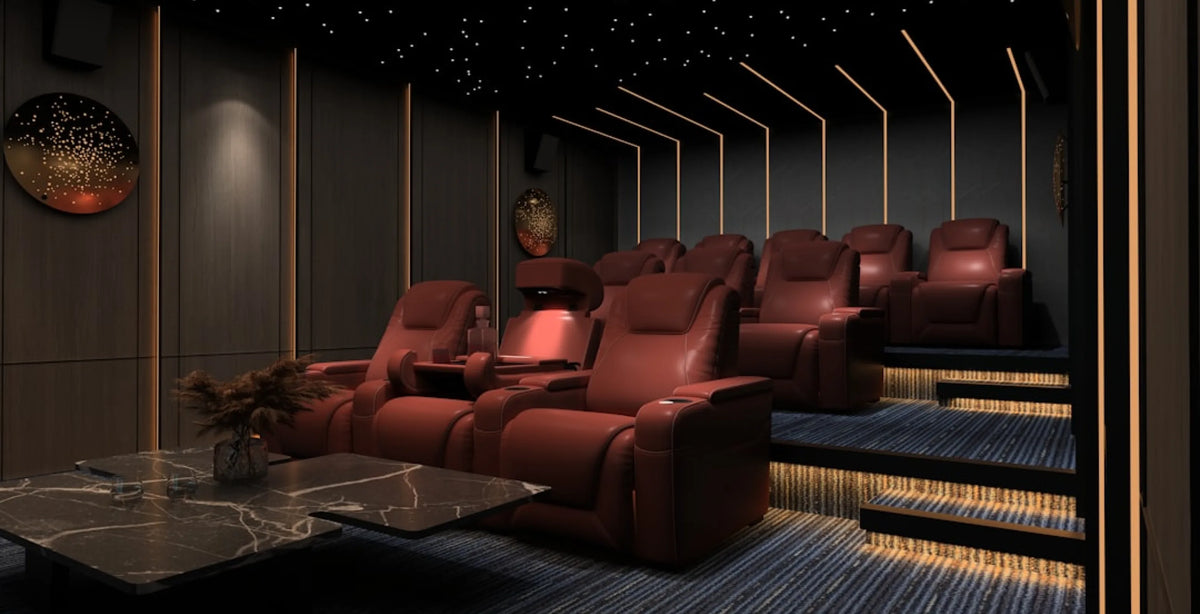
Gaming Couch Guide for Choosing a Gaming Sofa or Recliner
Share
Friday night starts as a two-player co-op session and turns into movie night the moment the final boss goes down. The seat that works for both isn't a gaming-store chair, it's a home theater sofa or recliner doing double duty.
A real gaming sofa or gaming recliner needs a wide recline range, armrests that support your forearms, and a cupholder and USB port within reach, all without blocking anyone's view of the screen.
Which is the best couch for gaming in your room: a sofa, a recliner row or a sectional? It comes down to a few checks before you buy, covered below. 4Seating's sofas and sectionals collection covers that mix, from reclining sofas to modular layouts that seat a group.
What Gaming Seating Actually Needs
A seat for hours of controller time needs four things: a real recline range, armrests that support your forearms at rest, a cupholder within reach, and power for a controller or headset. Extras such as heat, massage or lighting are a bonus, not a requirement.
Recline range. Recline range is how far the seat tilts back, from upright to fully lounged. Many of the power recline models here move through that range at the touch of a button, and some offer a zero-gravity position, a deep recline designed to lift your legs to about the level of your heart. Check the model's Specifications tab to see which features it lists.
For gaming, the middle stop matters more than a full recline. You want a position that's upright enough to read the on-screen display and reclined enough to rest your neck, so look for a seat that holds a position between "up" and "flat," not just the two ends.
Arm support. Wide, padded armrests give your forearms somewhere to rest between inputs. That matters more over a three-hour session than it does during a two-hour movie. Armrest width and height vary from model to model, so compare them on each product page.
Cupholders and power. Many sofas and recliners in this collection include cupholders and USB charging, which keeps a controller topped up and a drink close without a side table eating into legroom. The USB type and the cupholder placement vary by model, so check the Specifications tab for the exact setup. Power recline models plug into a standard 110v wall outlet ("Standard 110v Plug" on the Specifications tab), and each seat may need its own outlet, so plan for one near the row. Manual models don't plug in.
Gaming Sofa, Recliner Row or Sectional: Which Fits Your Setup
A loveseat or sofa suits shared co-op play, a recliner row suits solo sessions and mixed use, and a sectional suits a group. The right pick comes down to how many people play and how they sit.
A loveseat or sofa keeps two or three players shoulder to shoulder. That suits split-screen and co-op titles where everyone's watching the same screen from the same distance.
A recliner row gives each player their own seat, armrests and controls. It's the better fit when one person is deep into a campaign and doesn't want a shared cushion moving every time someone leans forward, or when players are on different games during the same session.
A sectional, especially a U-shaped or chaise layout, spreads a bigger group around the screen for party games. Not everyone needs to recline at once, so there's usually room for a few spectators on the flat sections between reclined seats.
| Setup | Best for | Trade-off |
|---|---|---|
| Loveseat / sofa (2-3 seats) | Couch co-op, movie-and-game rooms | Shared cushion moves when one person shifts |
| Recliner row (2-4 seats) | Solo sessions, mixed movie/game use, each player wants their own controls | Needs more wall width per seat |
| Sectional (U-shape, chaise) | Party games, groups of 4+ | Not everyone gets independent recline |
If you're outfitting a single-player setup and don't need a full row yet, a single recliner is a good place to start. 4Seating's single recliner collection covers standalone seats that you can pair with a matching seat later.
- Browse our Single Recliners
For a shared setup, a sectional like the Wilshire U Shaped Home Theater Room Sectional puts a group around the screen without assigning fixed seats. Its Specifications tab lists Italian Leather upholstery, and it comes in 5-, 6- and 8-piece configurations, so it scales with how many people usually show up.
- Browse our Sofas & Sectionals
Layout and Screen Distance for a Dual-Purpose Room
A room built for both gaming and movies needs more walkway and recline clearance than a pure movie room, because gaming means leaning forward, reaching for a controller, or standing up to reset a round.
Measure your wall width before you commit to a layout, and compare it with the width of the configuration you choose on the product page. Across 4Seating's home theater seating, a standard row of 2 runs about 62-86", a row of 3 about 90-126", and a row of 4 about 117-164". The Anthem LT HeatZero sofa is 85" wide and its loveseat is 75".
Next, tape-measure from your back wall to where you want the row, then leave room behind the seats to recline. A wallhugger is a recliner designed to sit close to the wall as it reclines, and across Seatcraft models it needs about 3" to 6.5" behind it (check the model's Specifications tab). The Napa needs 5", for example. Other recliners need more, so check the Dimensions and Specifications tabs on each product page, and keep tables and walkways beyond the Full Recline distance listed there.
Screen distance guidelines built for movies still apply to gaming, since neck angle doesn't change with what's on screen. If you haven't settled on a distance yet, our guide to how far your couch should sit from the TV walks through the sizing by screen size, and it's worth reading before you finalize where the couch or row lands in the room.
Where to Start: 4Seating's Top Gaming Seating Picks
4Seating carries gaming-ready sofas, recliners and sectionals across several styles, so most rooms start by matching the format to the group before picking a specific model.
- Anthem LT HeatZero Italian Leather Home Theater Sofa - one of our best-selling sofas, with a power headrest and power lumbar, for two or three players sharing a screen.
- Diamante CoolZero Italian Leather Home Theater Seating Single Recliner - a top-selling theater seat and an easy first seat for a solo setup, with 2.2 density memory foam and a power headrest, and you can add matching seats later.
- Wilshire U Shaped Home Theater Room Sectional - a chaise sectional in 5-, 6- or 8-piece configurations, for parties and group play.
If you're starting with one seat, the single recliner collection has standalone options you can grow into a row later.
Couches and sectionals from 4Seating ship free anywhere in the continental US, and sample swatches are available for many upholstery options if you contact the team. Want to size one up? Check each model's Dimensions tab against your room. If you're still unsure, our product specialists are on the customer help line during business hours at 1-800-407-8665.
About this guide: Since 1997, 4Seating has been selling home theater seating, including the gaming sofas and sectionals covered here.